VitGO
Transport · 2025
VitGO is a ride-hailing app for Türkiye, in the spirit of Uber, with two modes in one app: Passenger and Driver.
I led the product design, covering interaction, visual design, user flows, motion and branding, over 10–12 weeks. This page is mostly screens.
Situation What was the problem or issue that I faced?
VitGO was a new player in a market owned by established ride-hailing apps. To compete, it had to feel reliable and fresh from day one, for passengers and drivers alike.
Task What did I have to do to fix this?
Design one app with two very different modes: quick, effortless booking for passengers, and solid tools for drivers to manage trips, earnings and documents, all in one design language.
Action What were the steps that I took?
I mapped what passengers and drivers need, studied competitors, then moved from wireframes to visual design and prototype. I built a component system, including map pins that carry time, price and stops, and colour-coded the driver dashboard.
Result What happened and what was the benefit?
A complete passenger and driver experience, from sign-up to rating the trip, with live location updates, a prominent trip-start button and a lock-screen live activity.
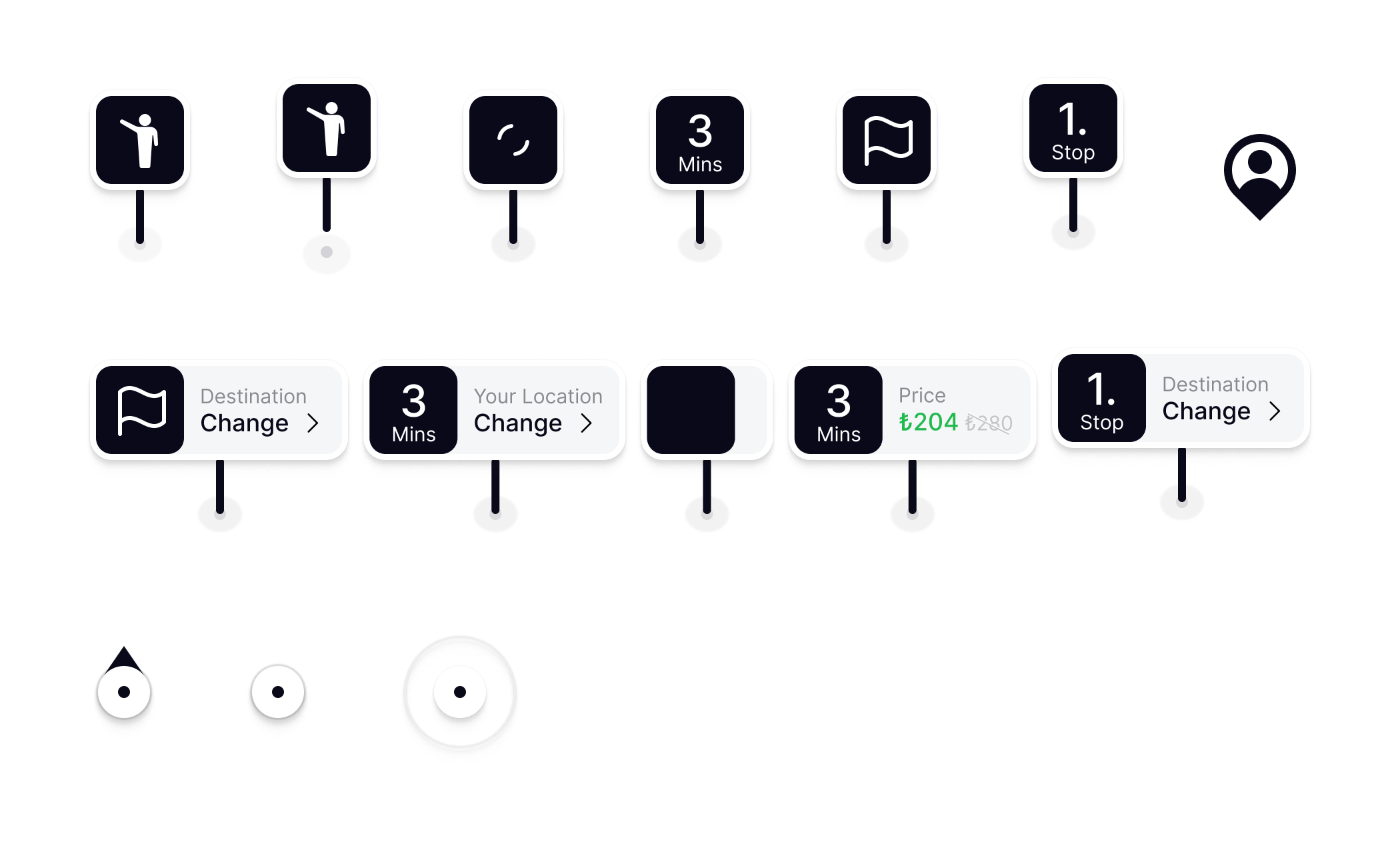
Map icons
One family of pins carries everything the map needs to say: who you are, where you’re going, how long it takes and what it costs, plus your live location.
Sign-up
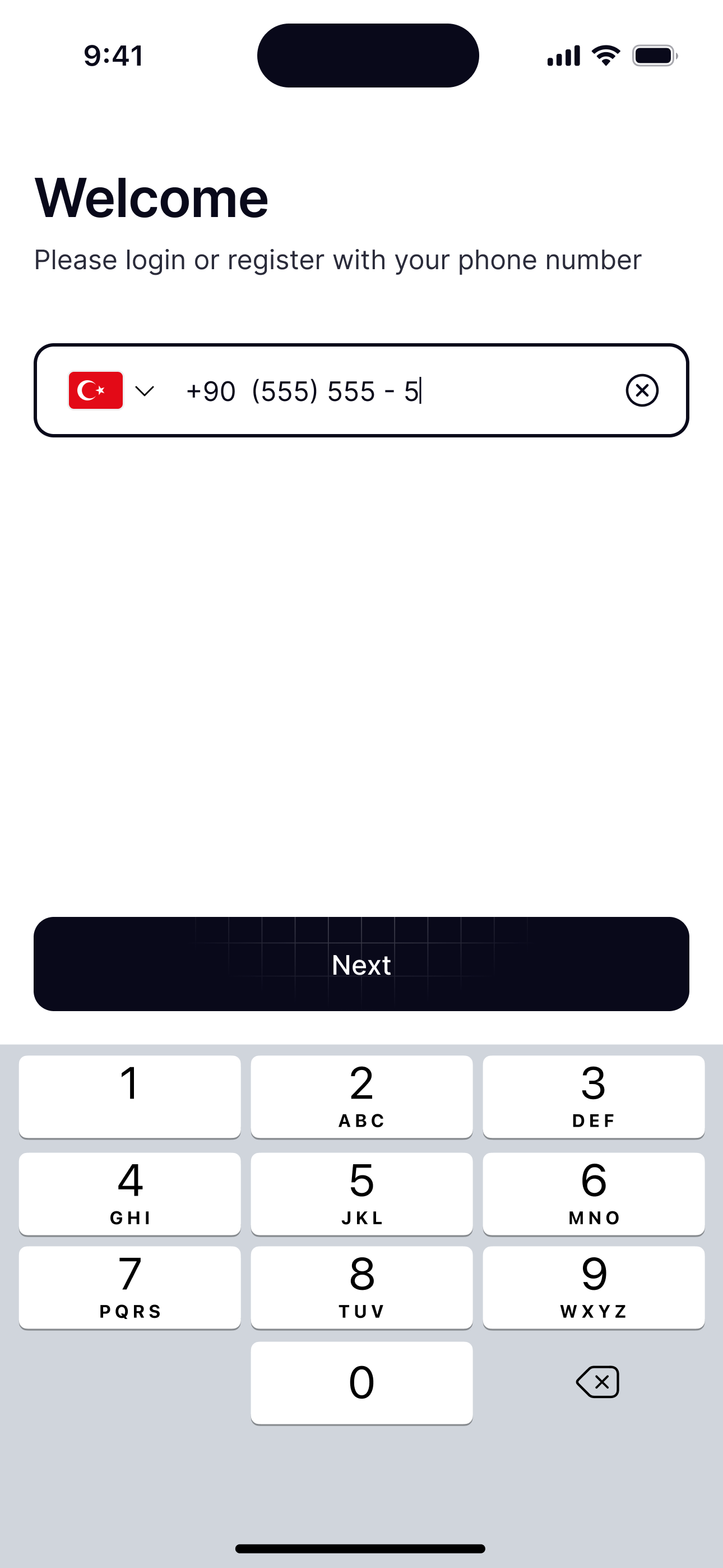
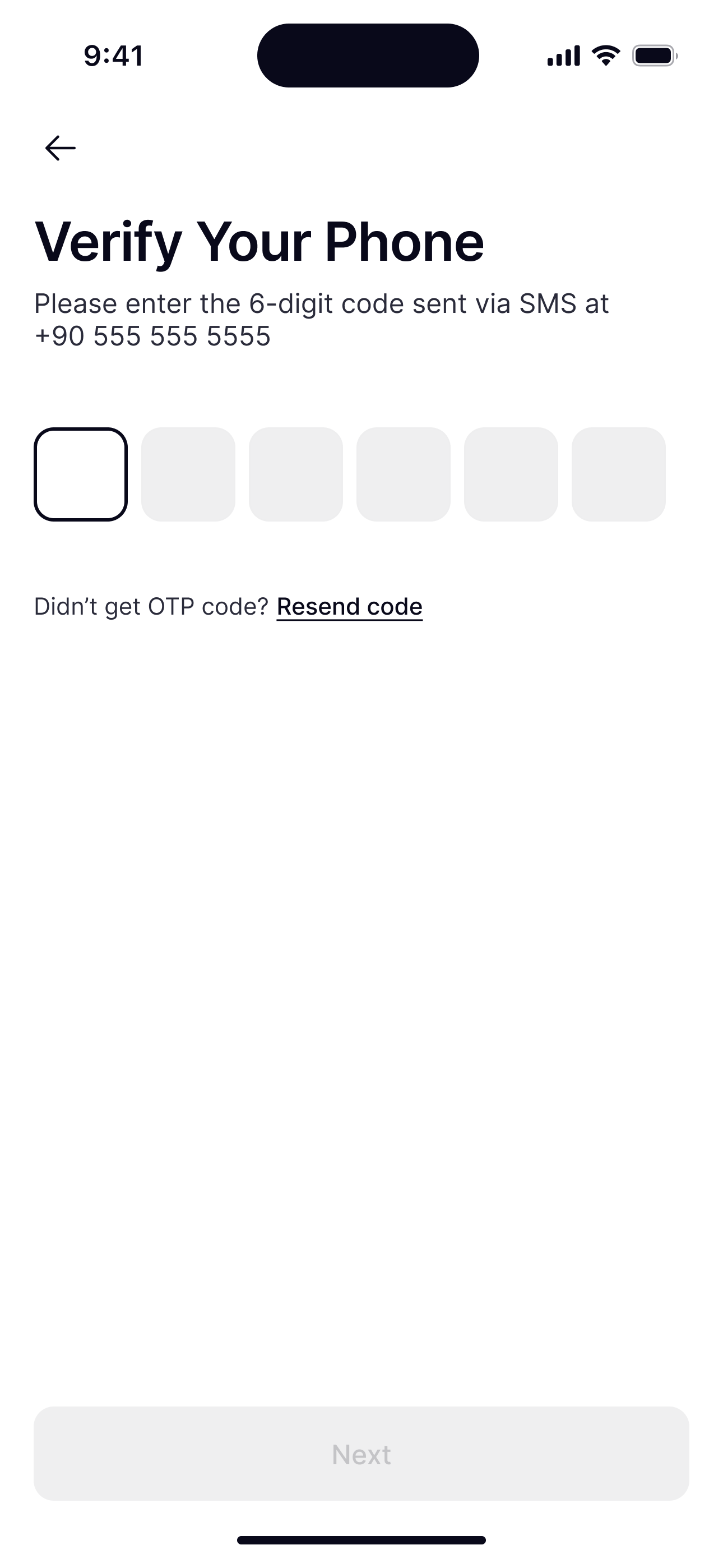
Phone number first, then a six-digit code. Nothing else stands between a new user and the map.
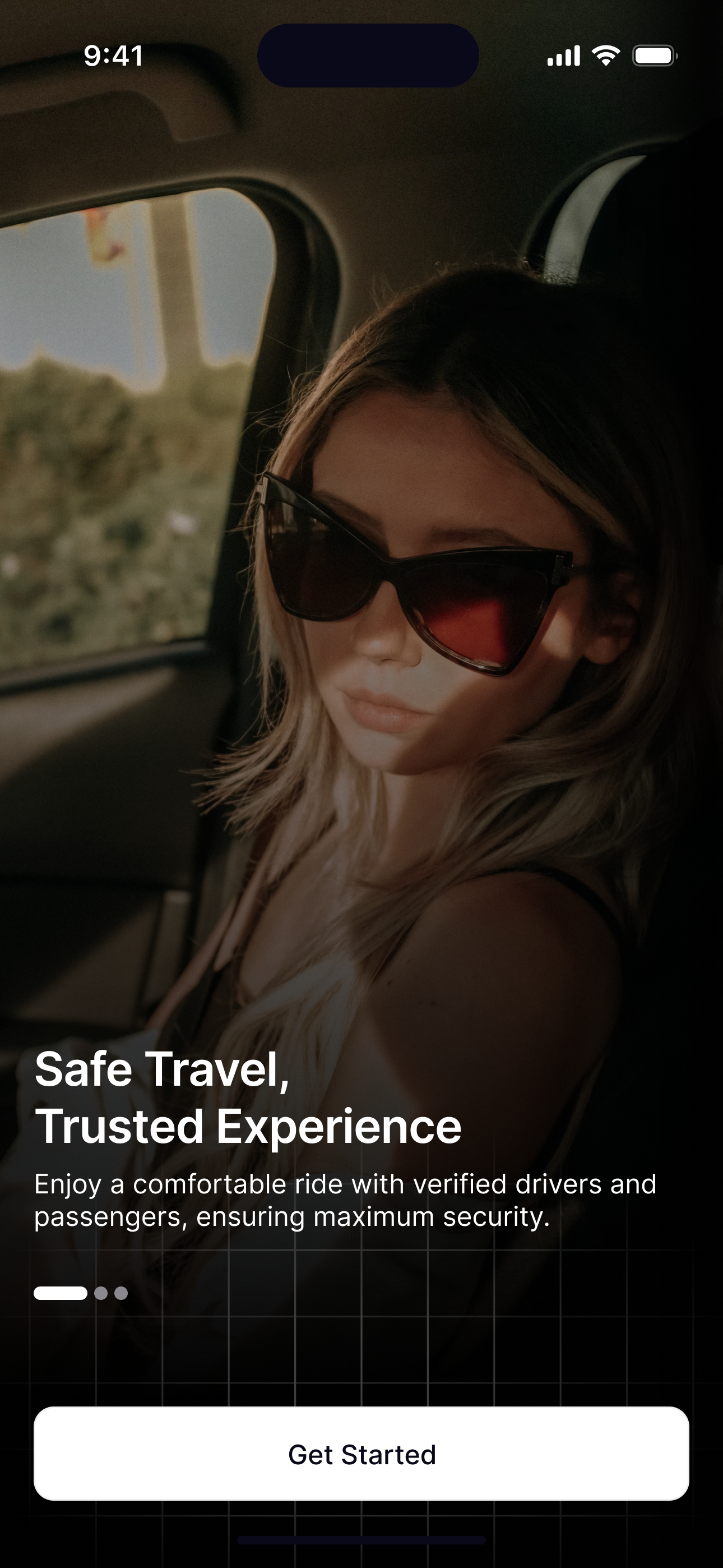
The first screen sets the tone: safe travel, trusted experience, over a real ride.
Where to?
The map opens on your address with nearby cars and one dark Where to? button. Hold the pin and the map moves under it: the pin lifts, searches, and the sheet steps aside until you let go.
Requesting a ride
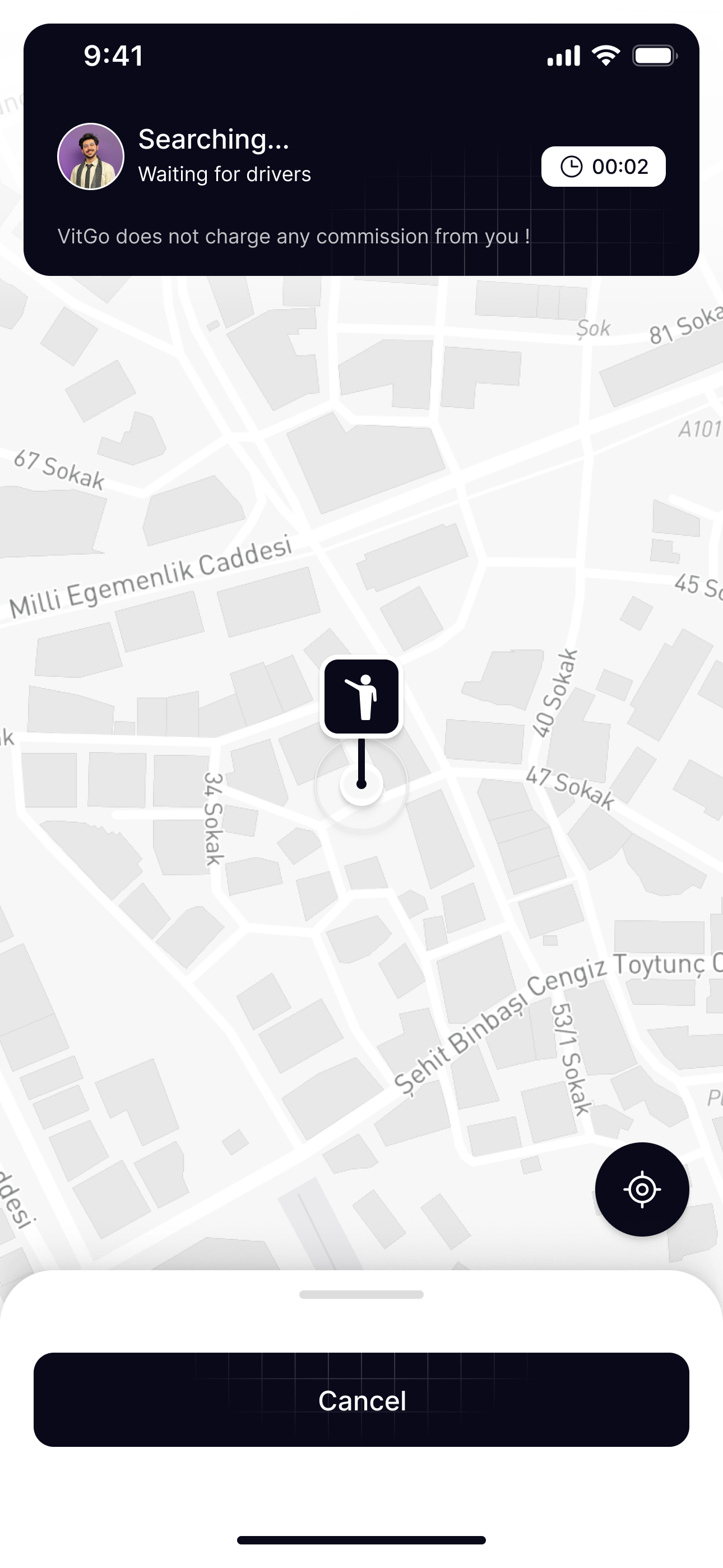
From where you’re going to calling a driver in three steps: search, see the route, request. Then the search for a driver begins.
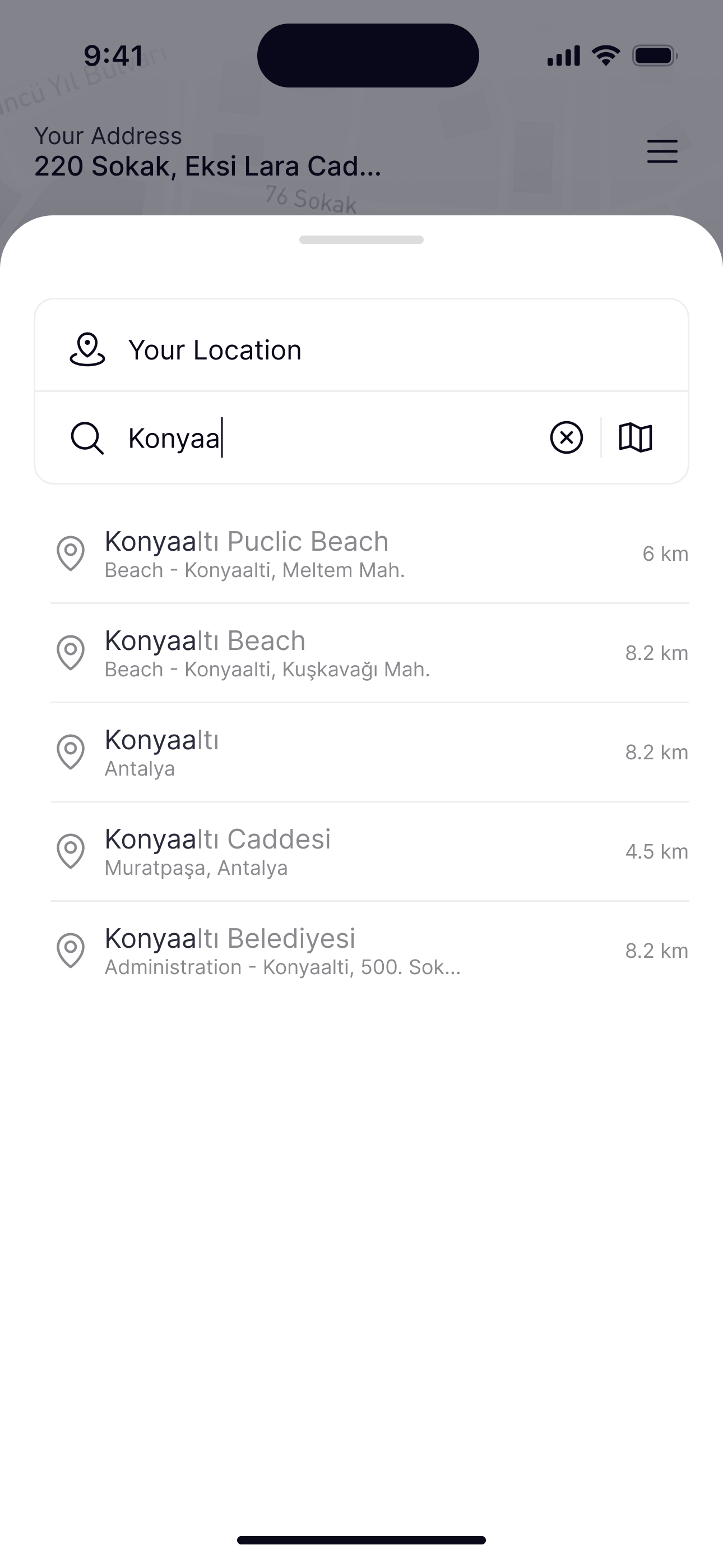
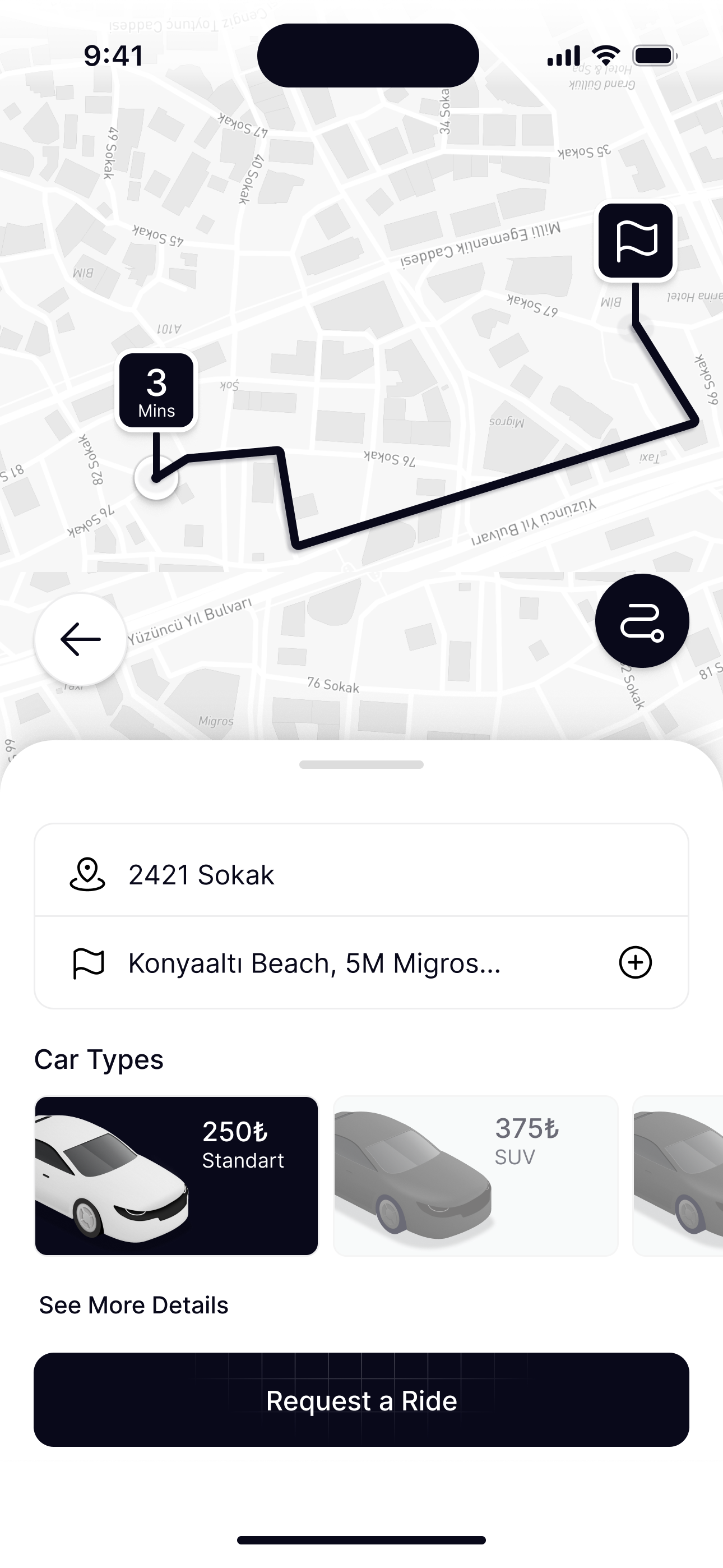
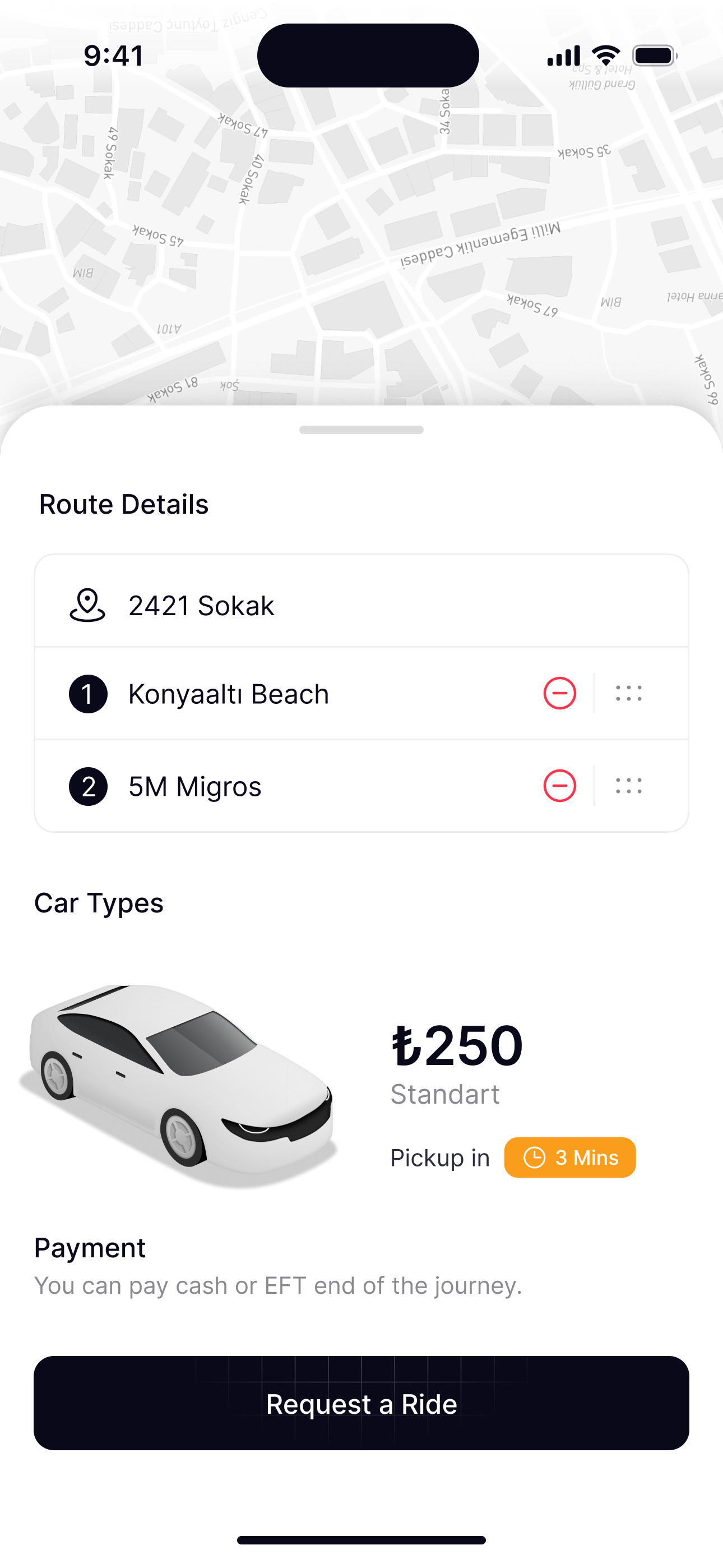
Results show how far each place is, so people choose with confidence before the route is drawn.
The journey
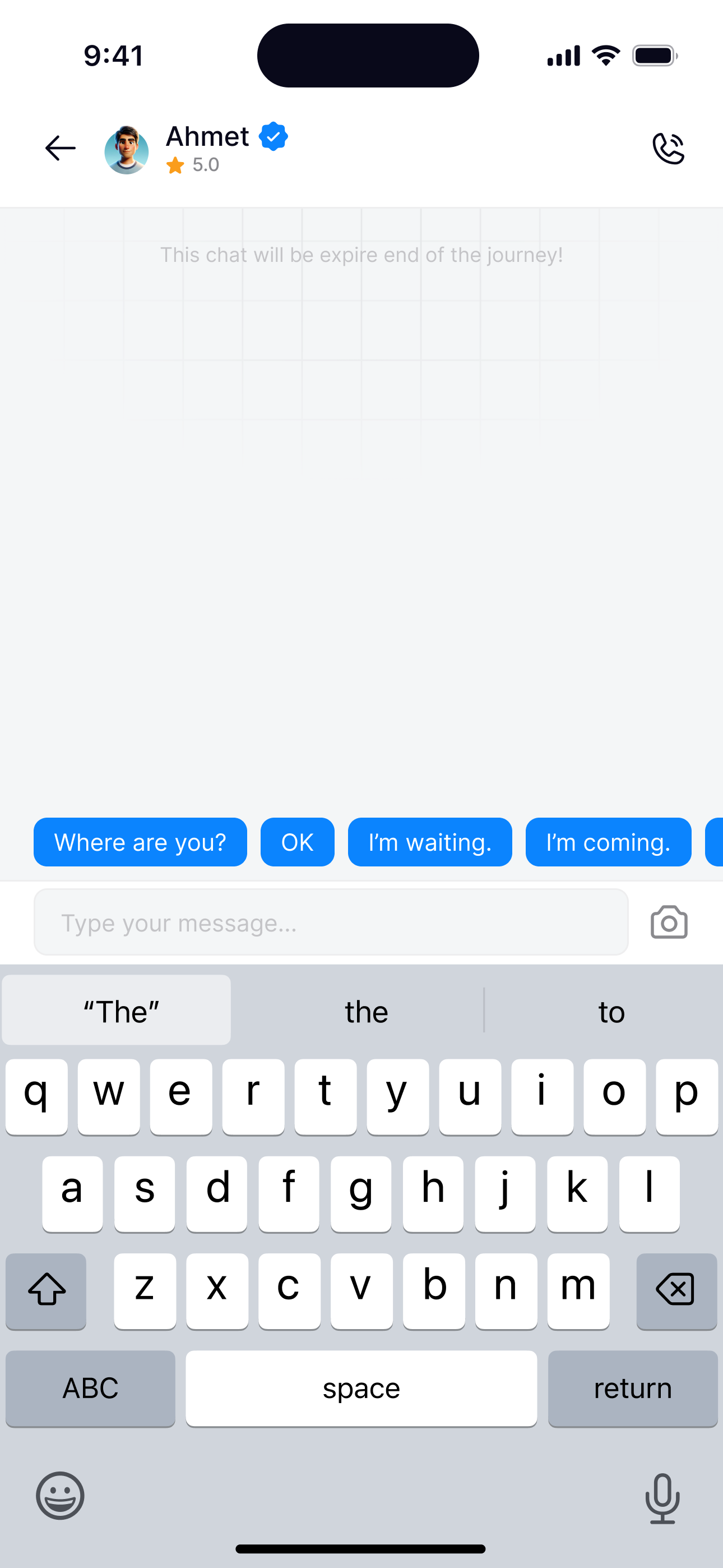
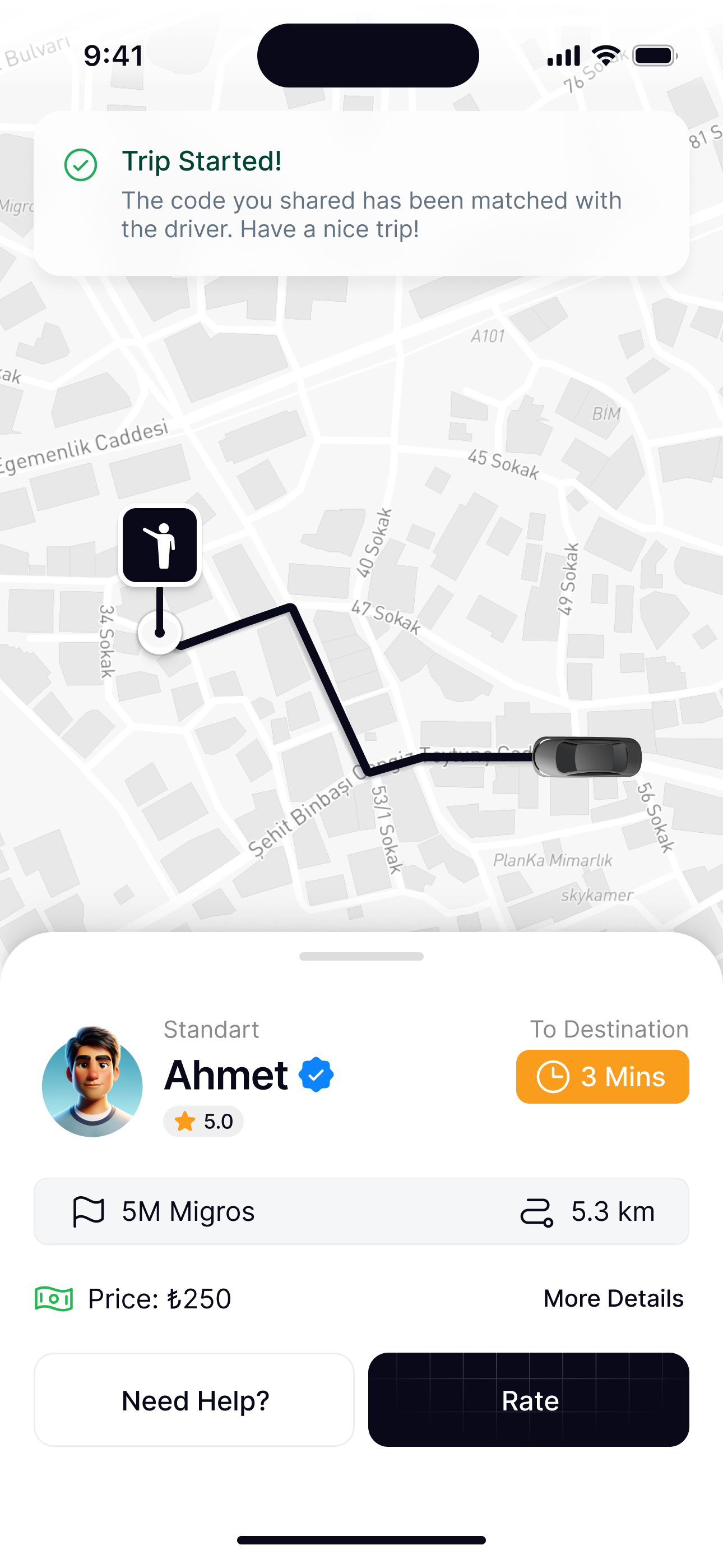
From finding a driver to the trip starting, the status always lives in one place at the top, and the driver is one tap away.
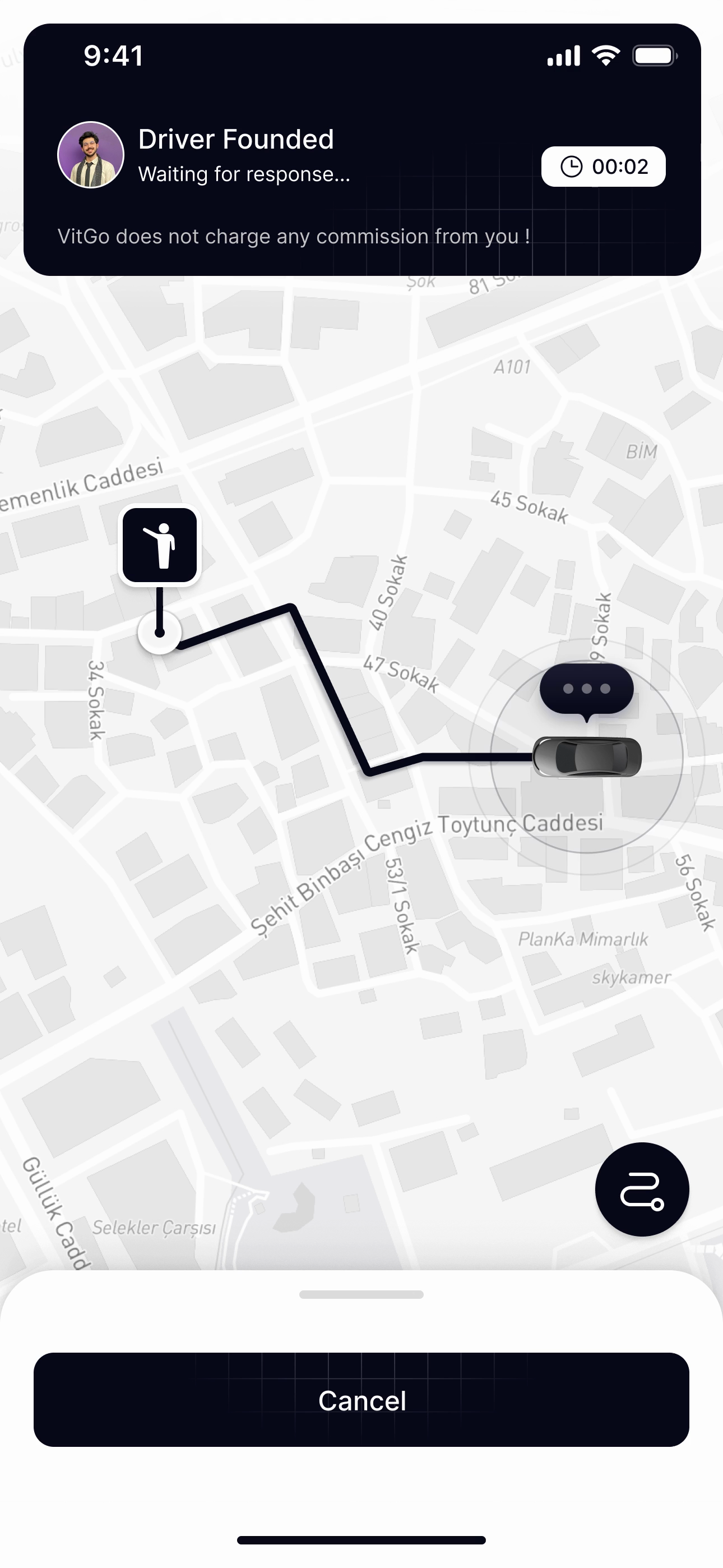
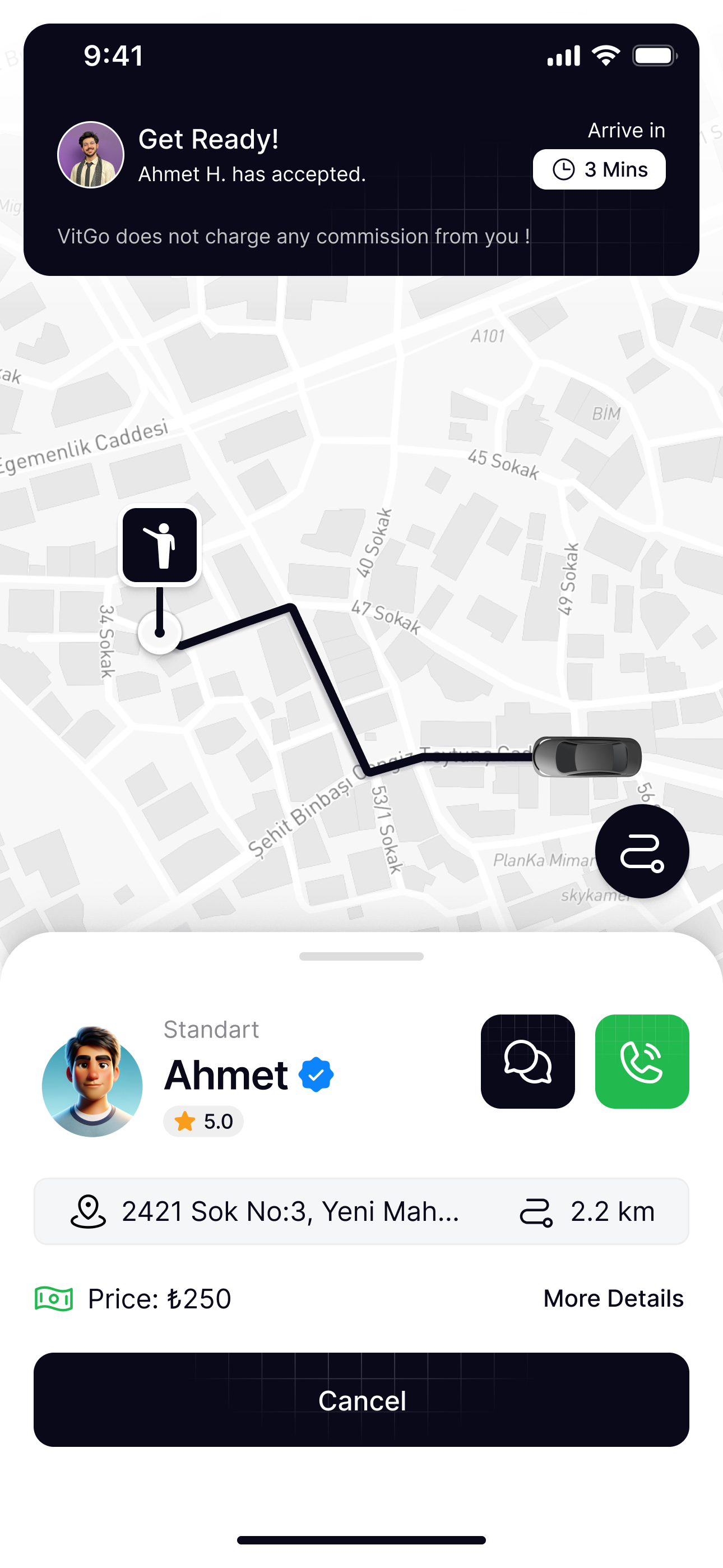
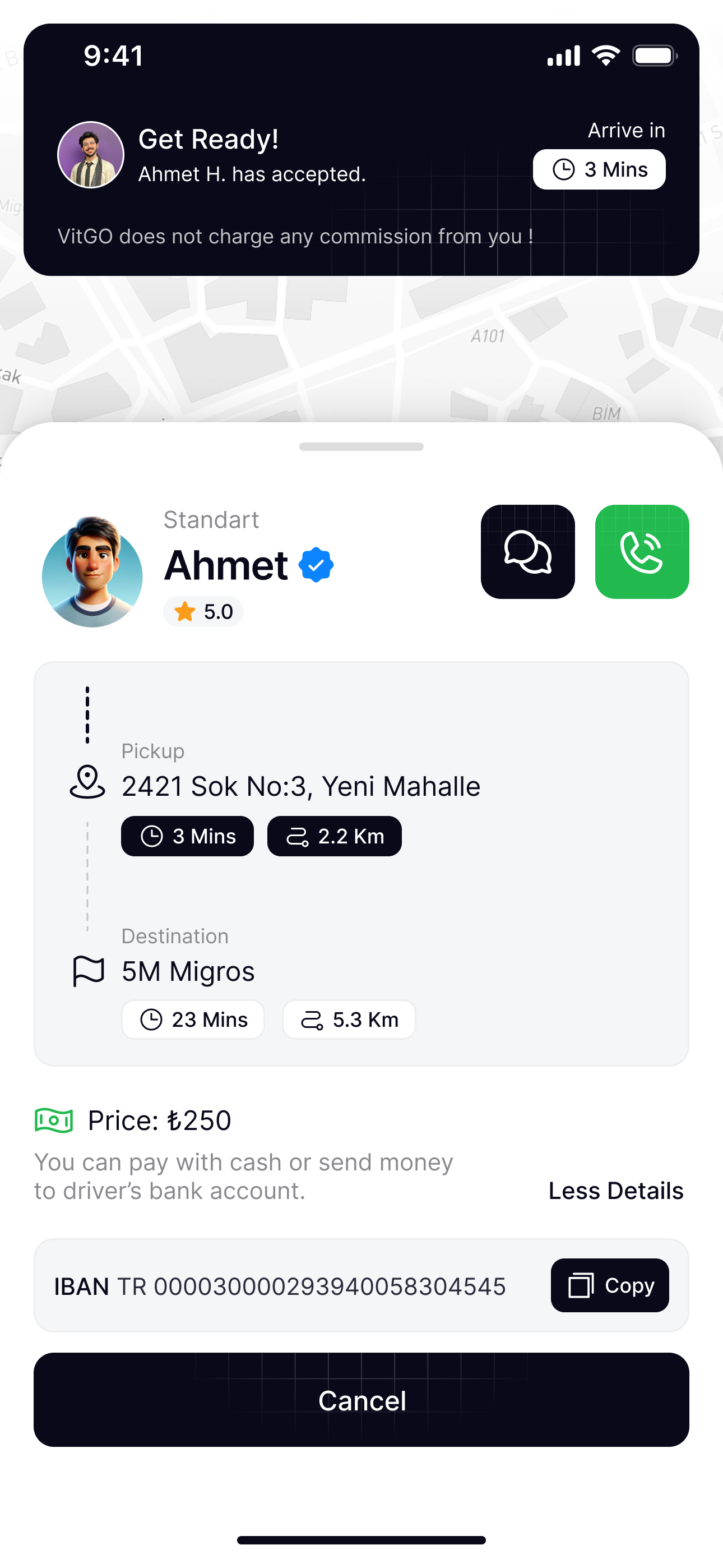
While the driver decides, soft ripples keep reaching their car and three dots wait for their answer, so the wait never looks frozen.
Lock screen & arrival
The trip stays visible even with the phone locked, and ends with feedback that takes seconds.
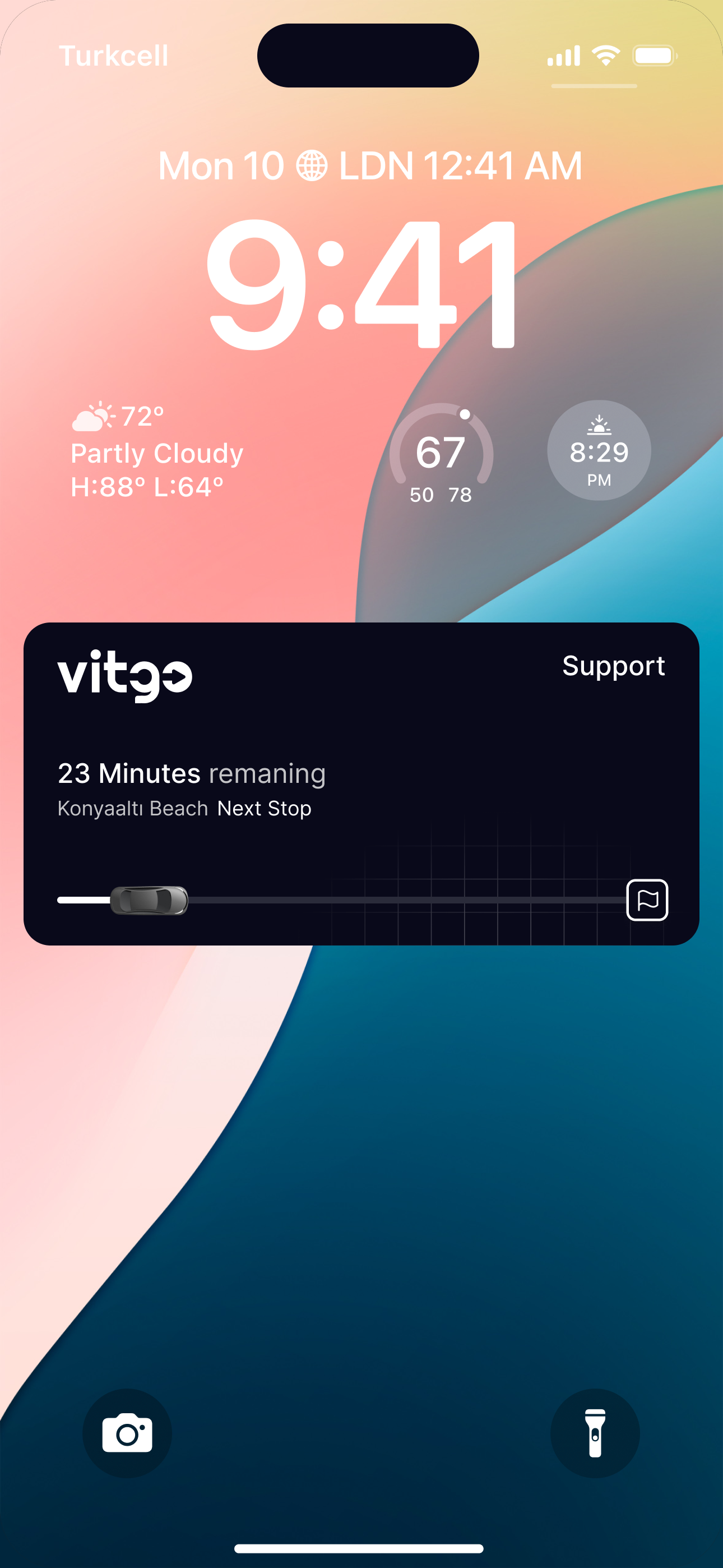
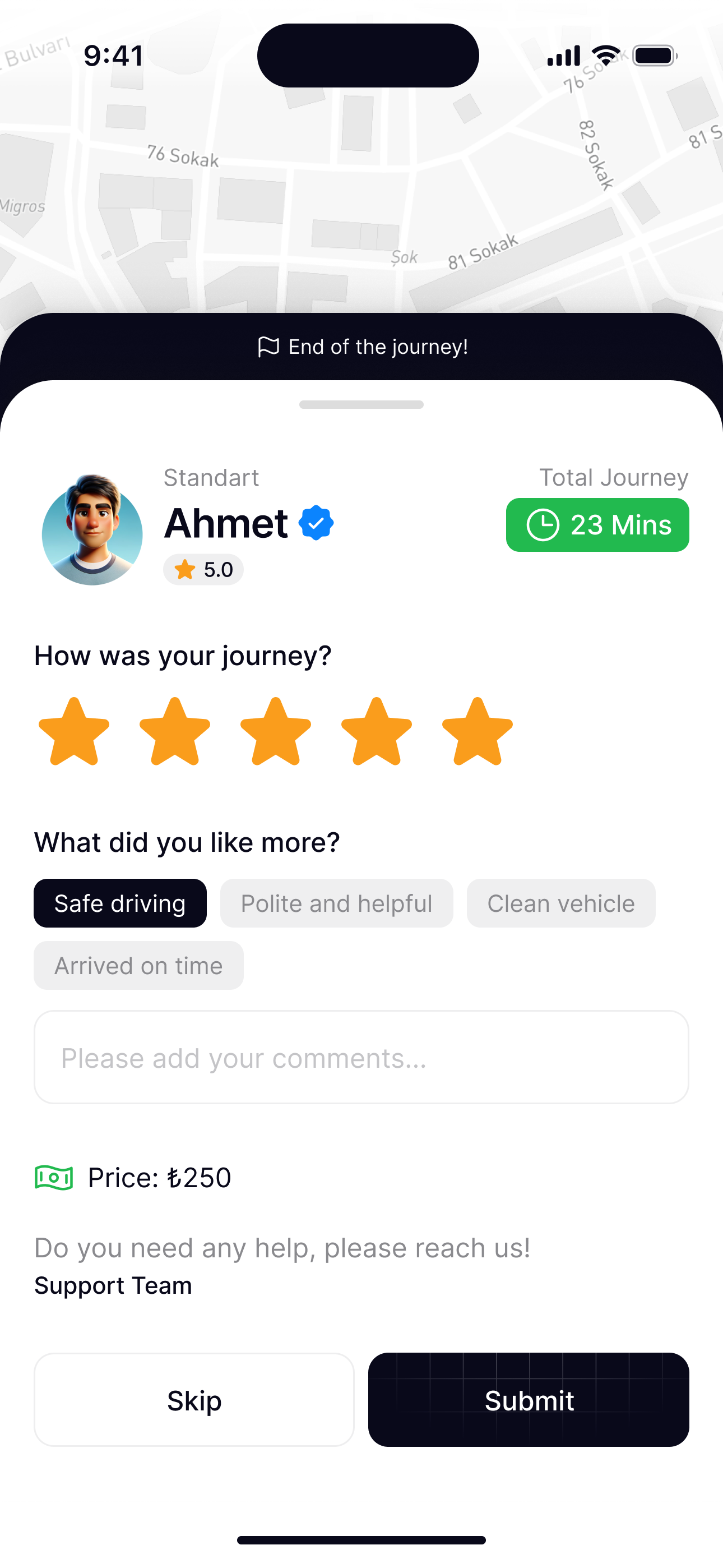
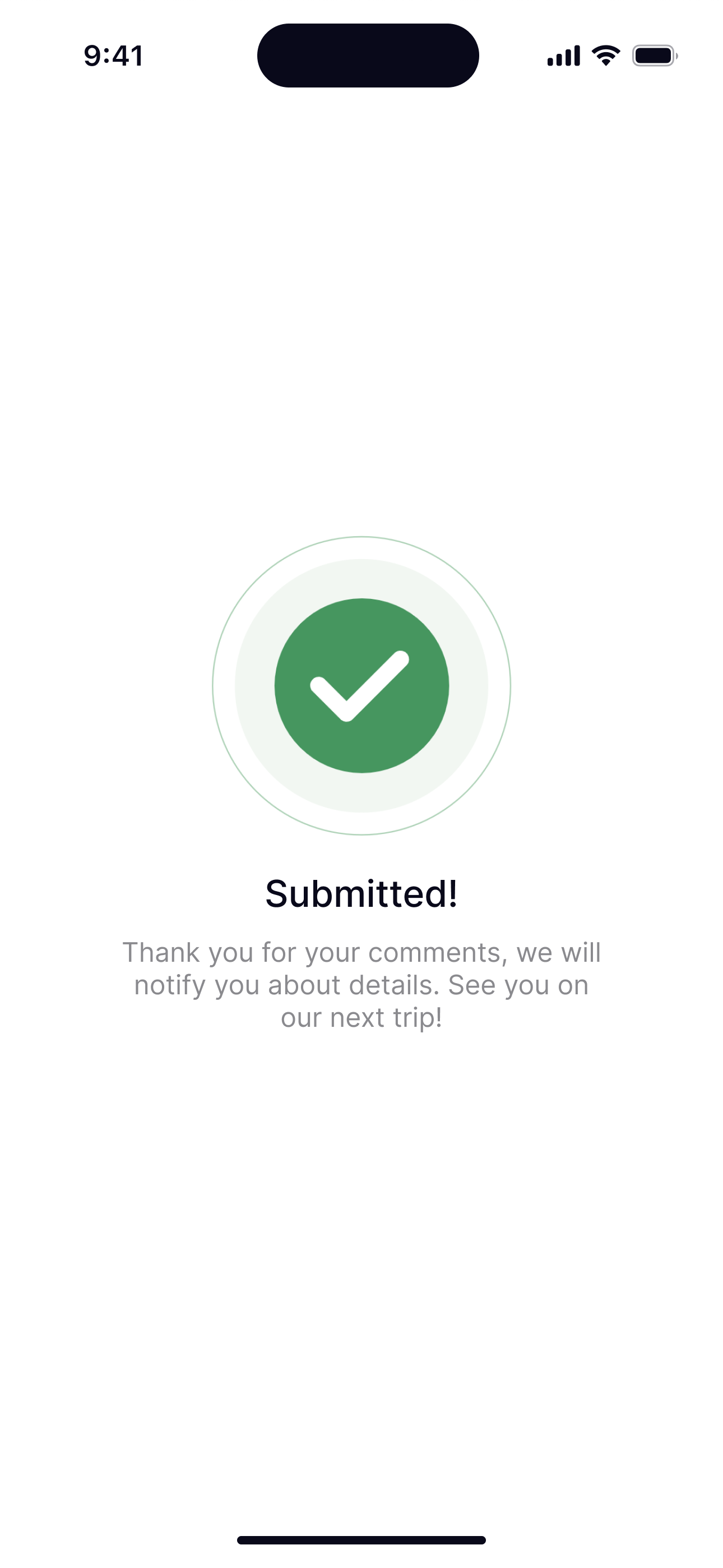
A live activity shows minutes remaining and the next stop without unlocking the phone.
Menu & profile
The menu puts support and safety first and invites passengers to become drivers. Personal details can wait until they’re needed.
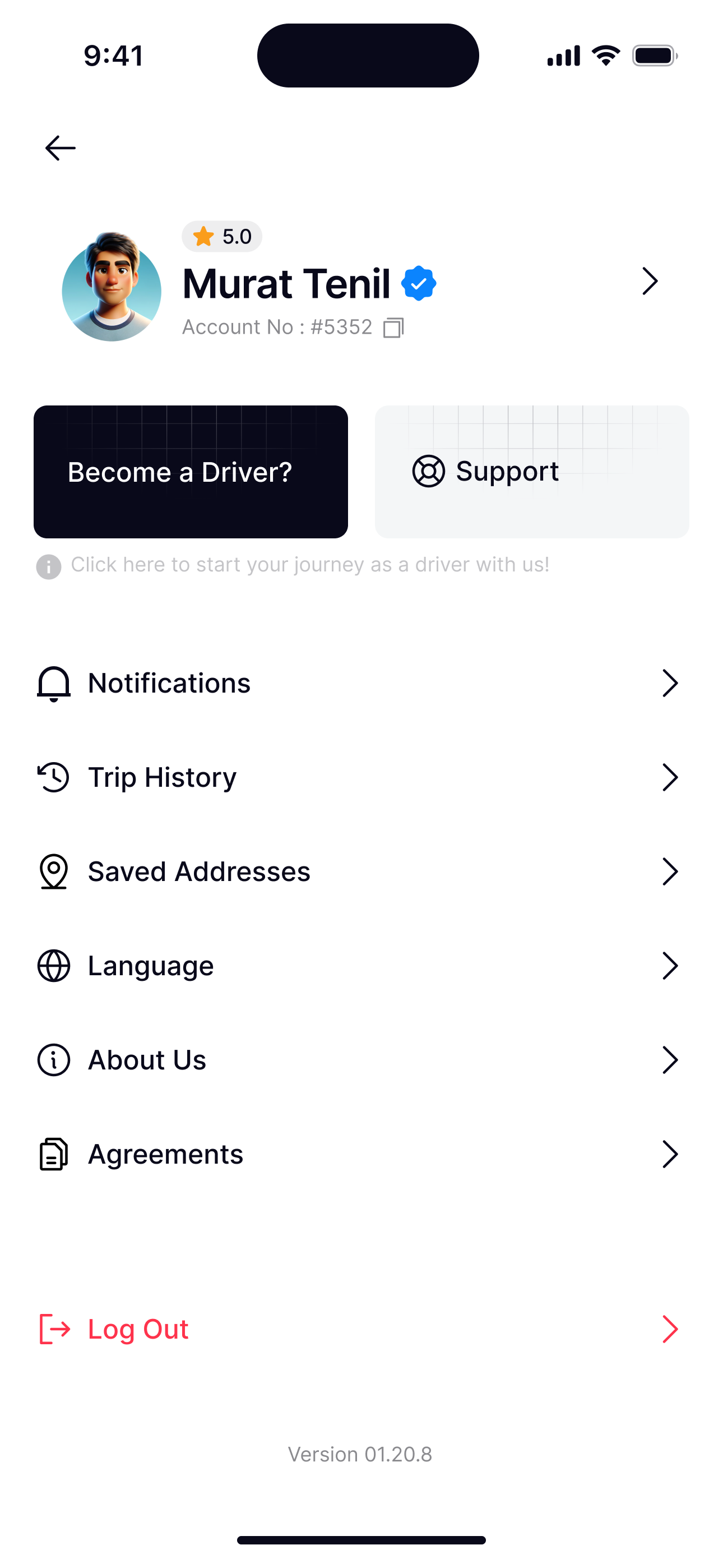
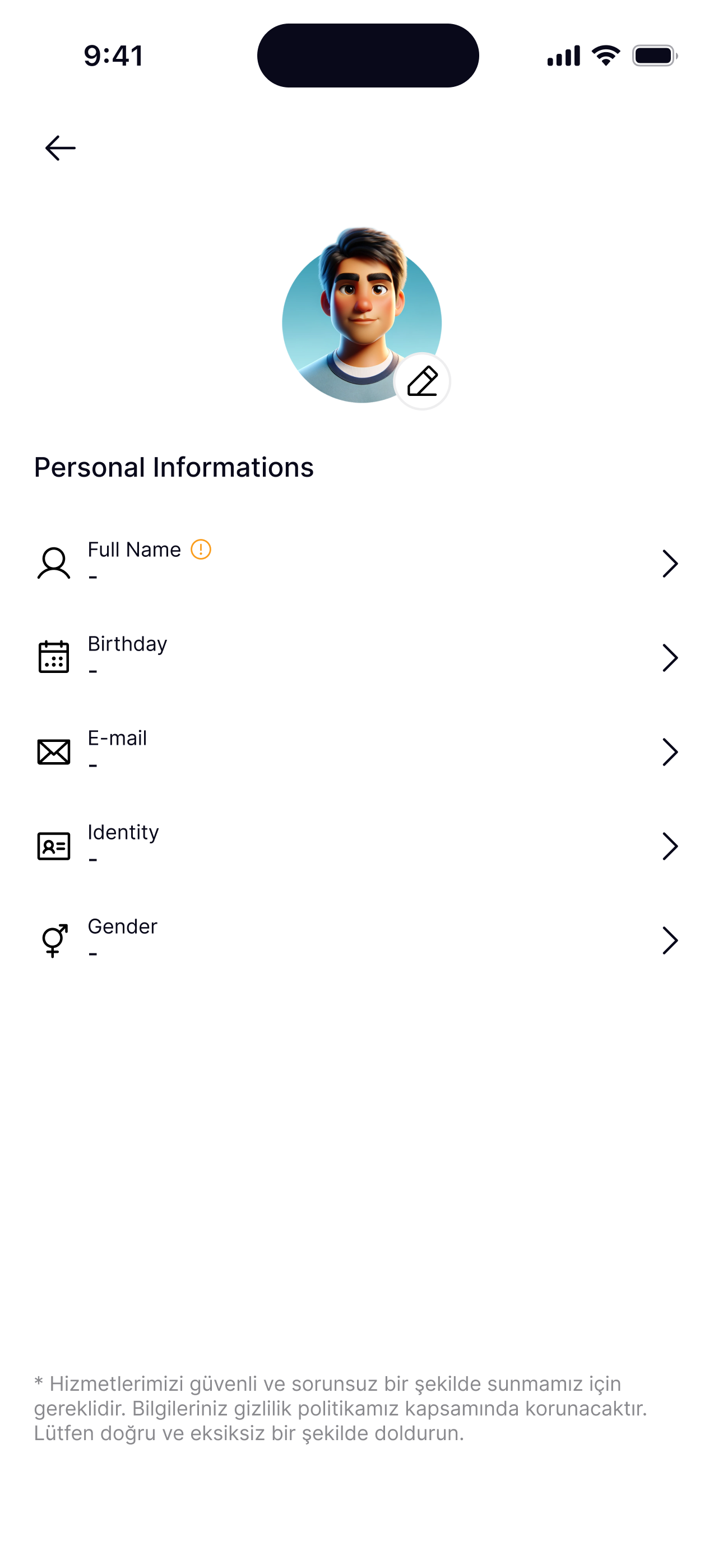
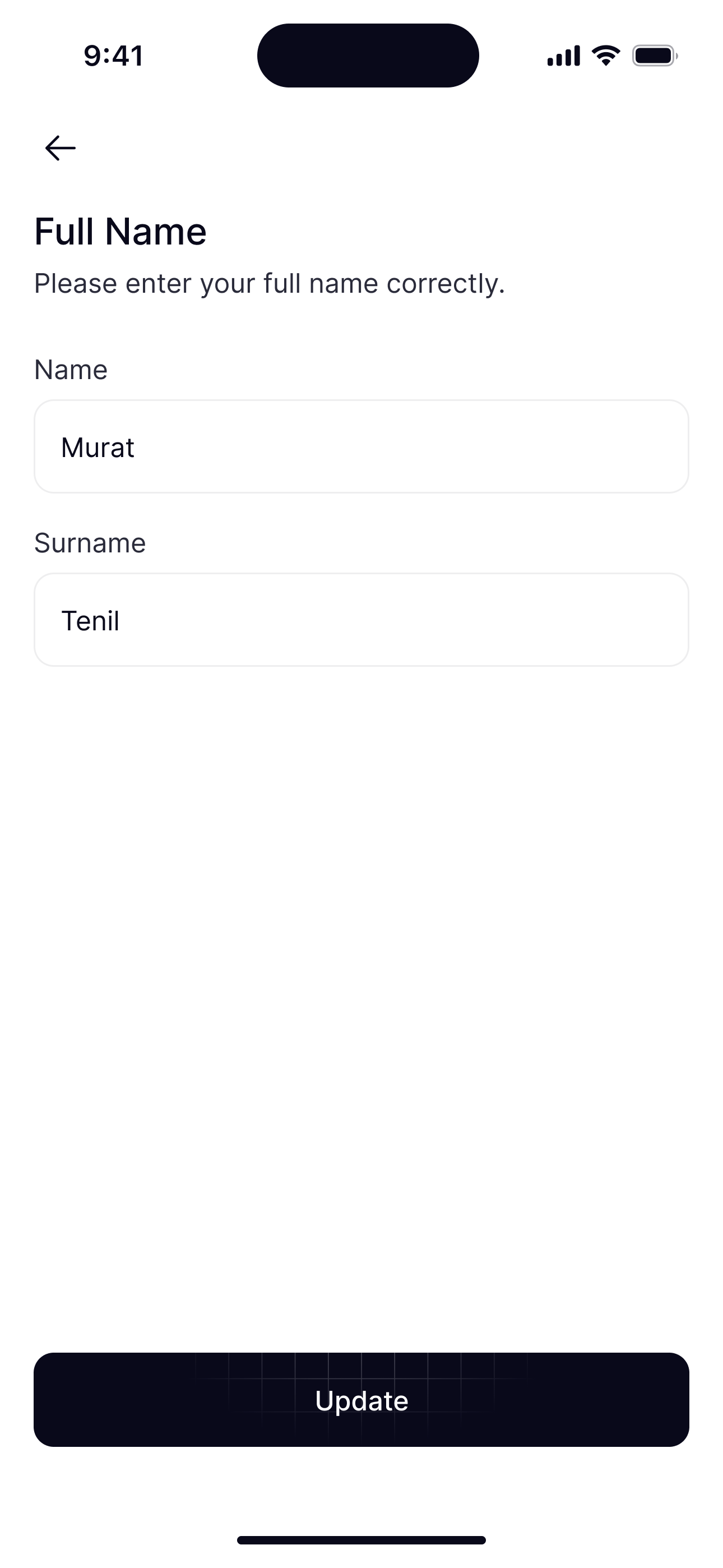
Support sits right next to Become a Driver?, so the menu also invites passengers into the other side of the app.
Welcome bonus
New riders see their welcome discount on Home, on a dark band above Where to?. The offer glows softly, like a breath, so it draws the eye without moving anything.
Permissions
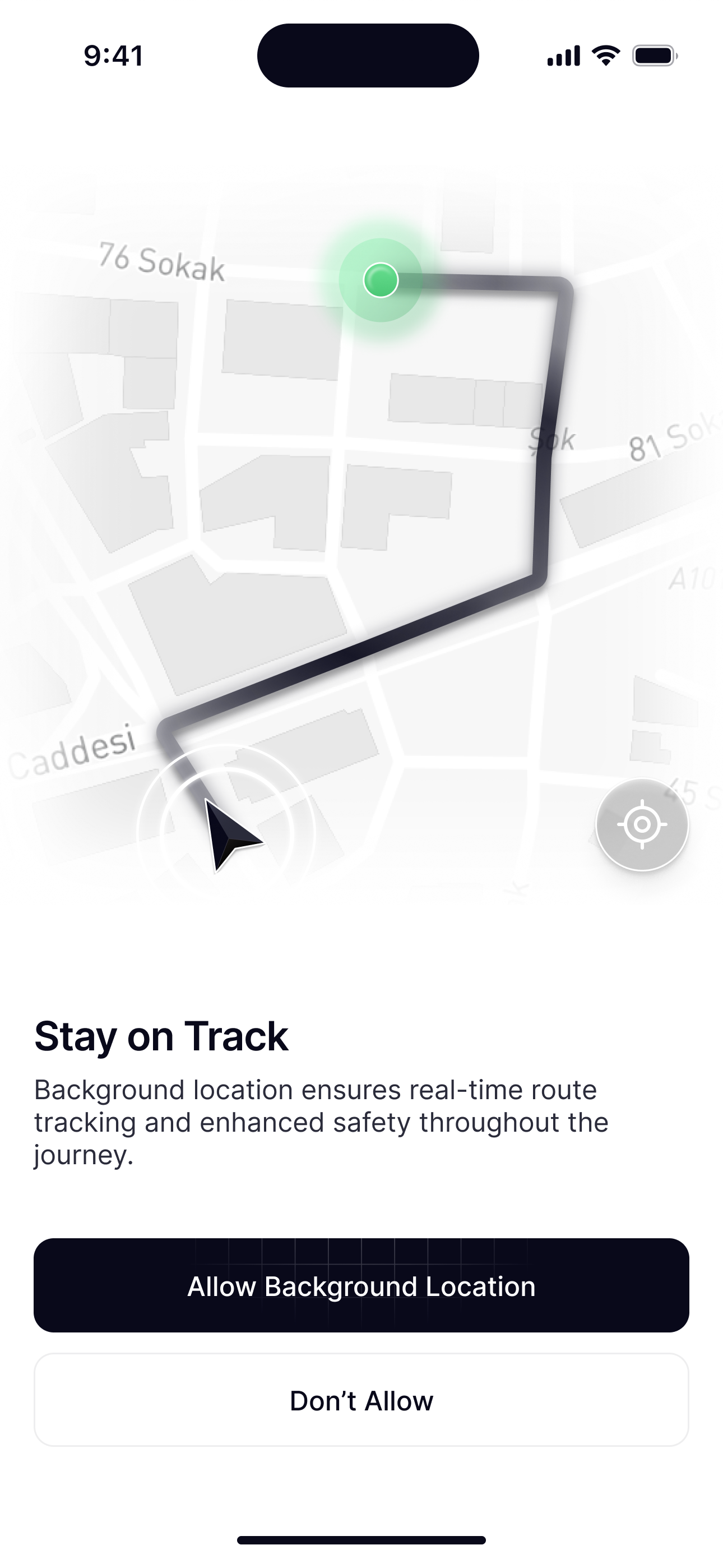
Each permission is asked for with an illustration of what it gives you, not a wall of text: the notifications themselves, the radar that finds you, the route that keeps you safe.
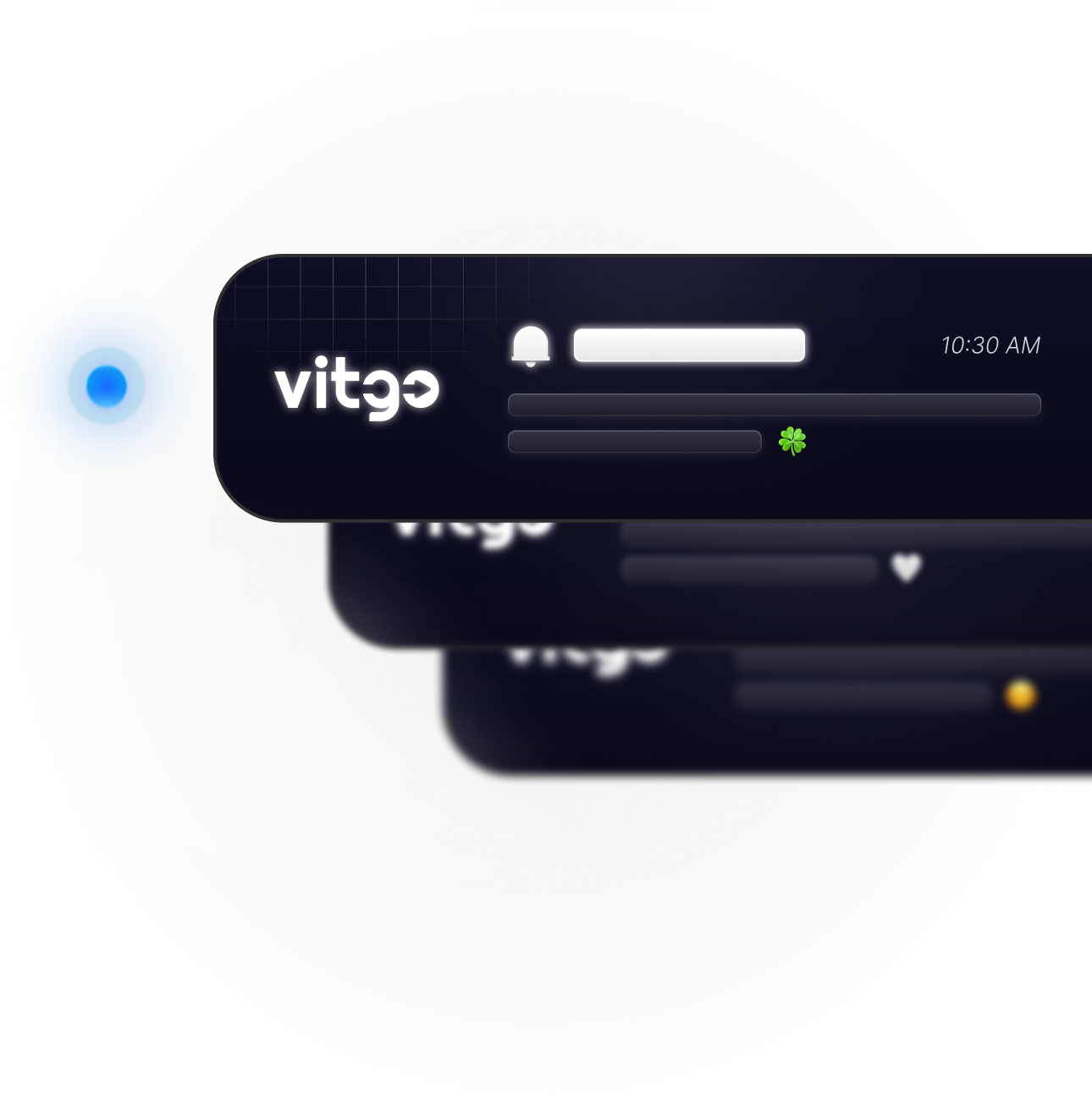
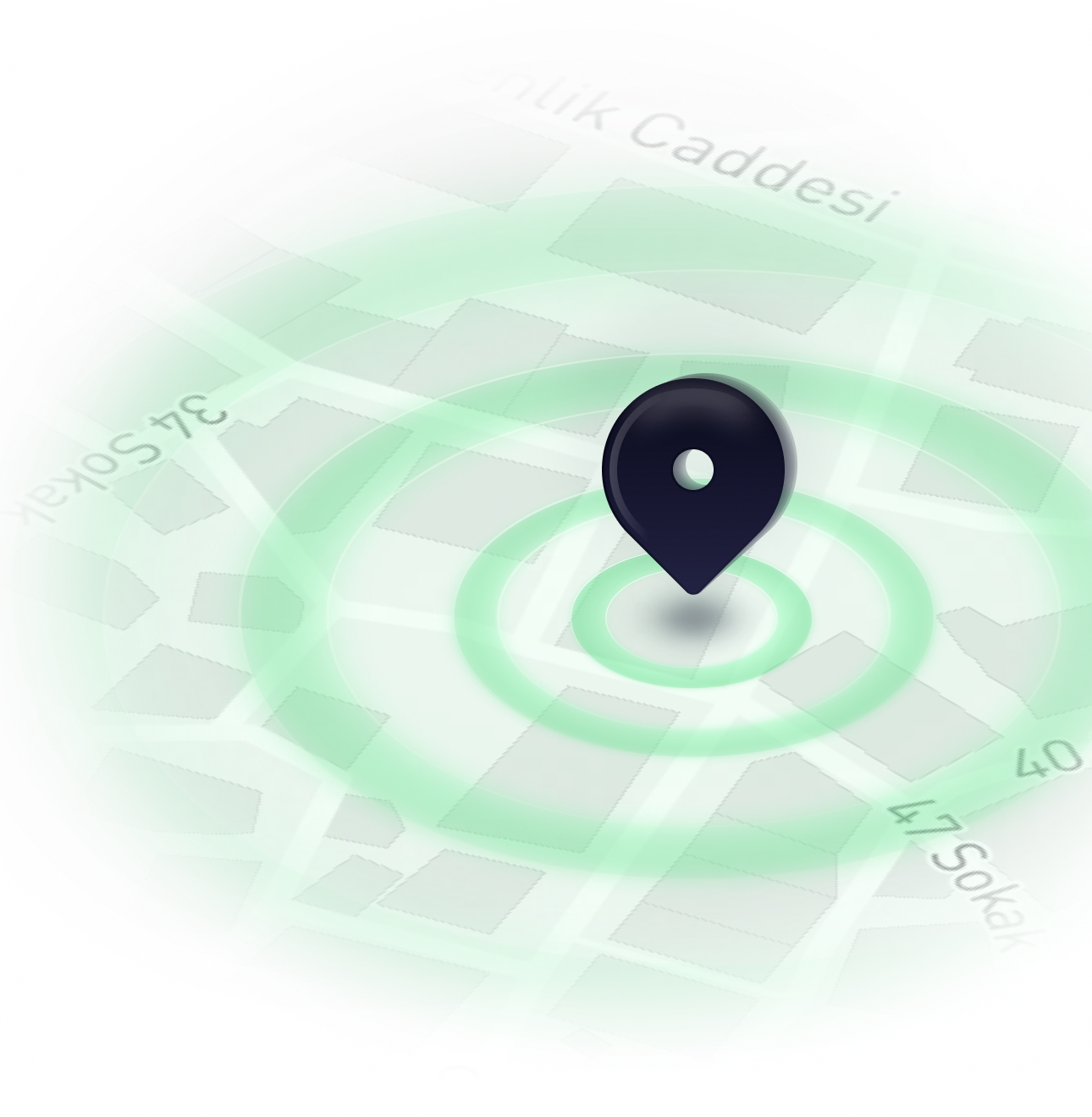
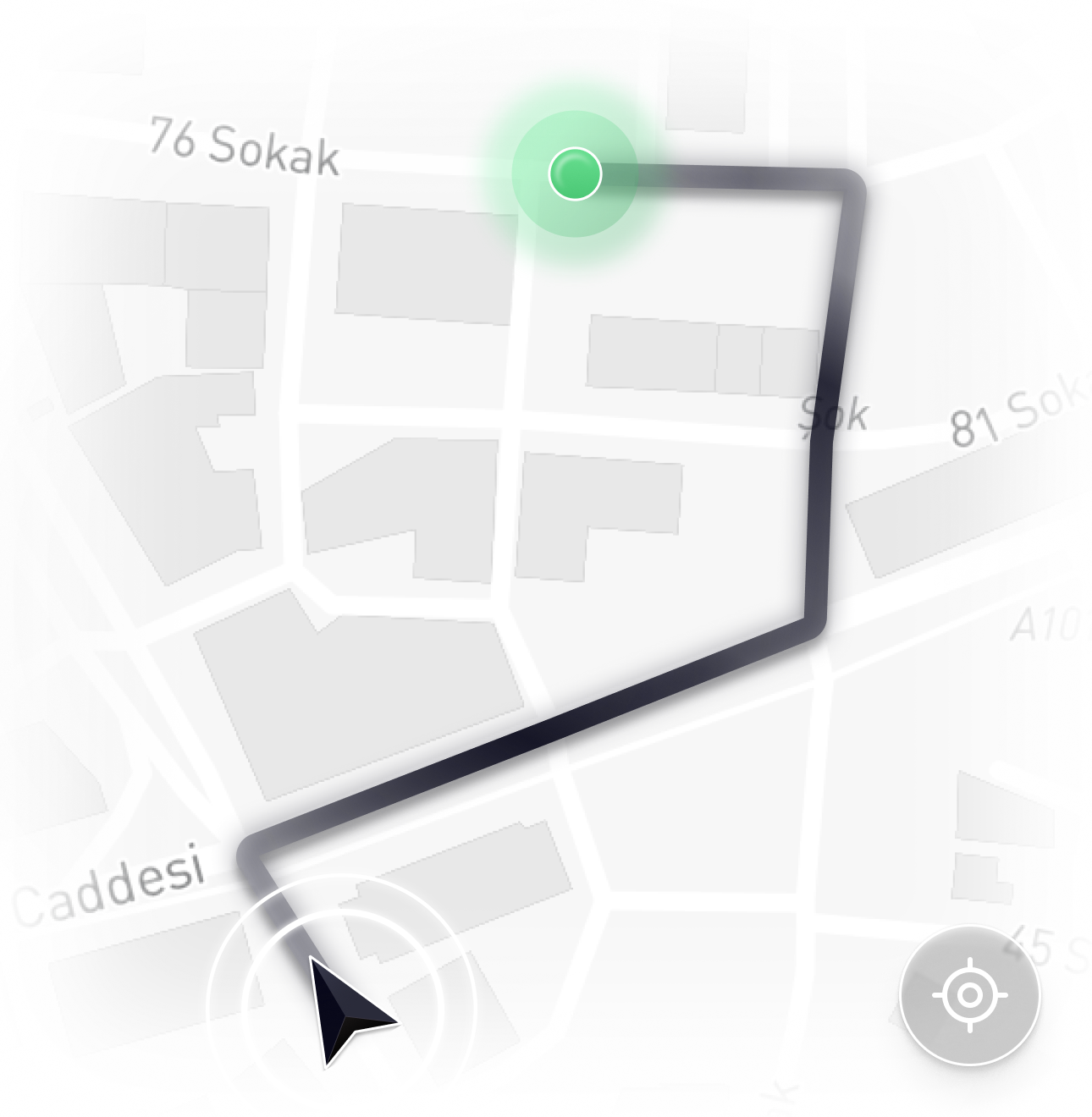
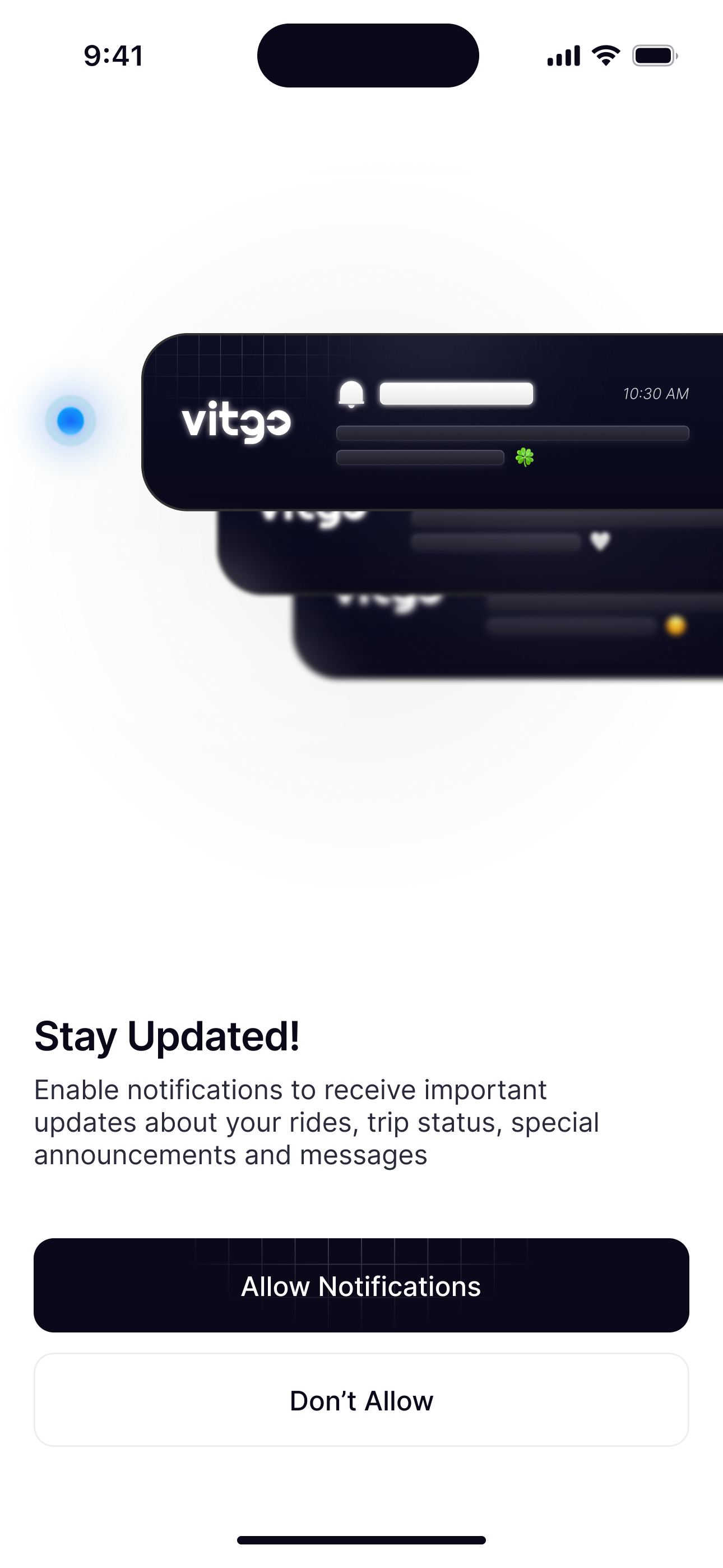
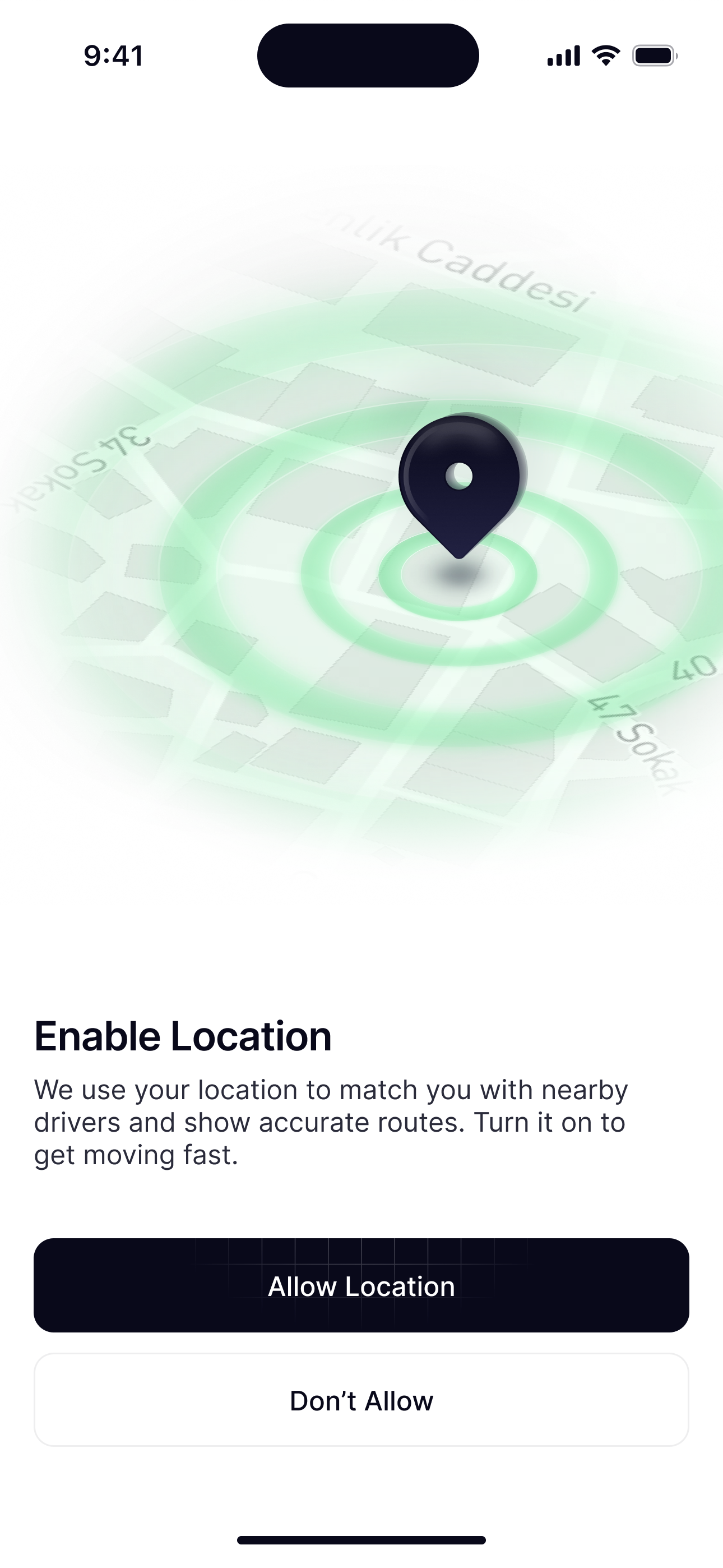
The illustration is the benefit: real notification cards stacked and sliding in, so people see what they’ll get before they decide.
Edge cases
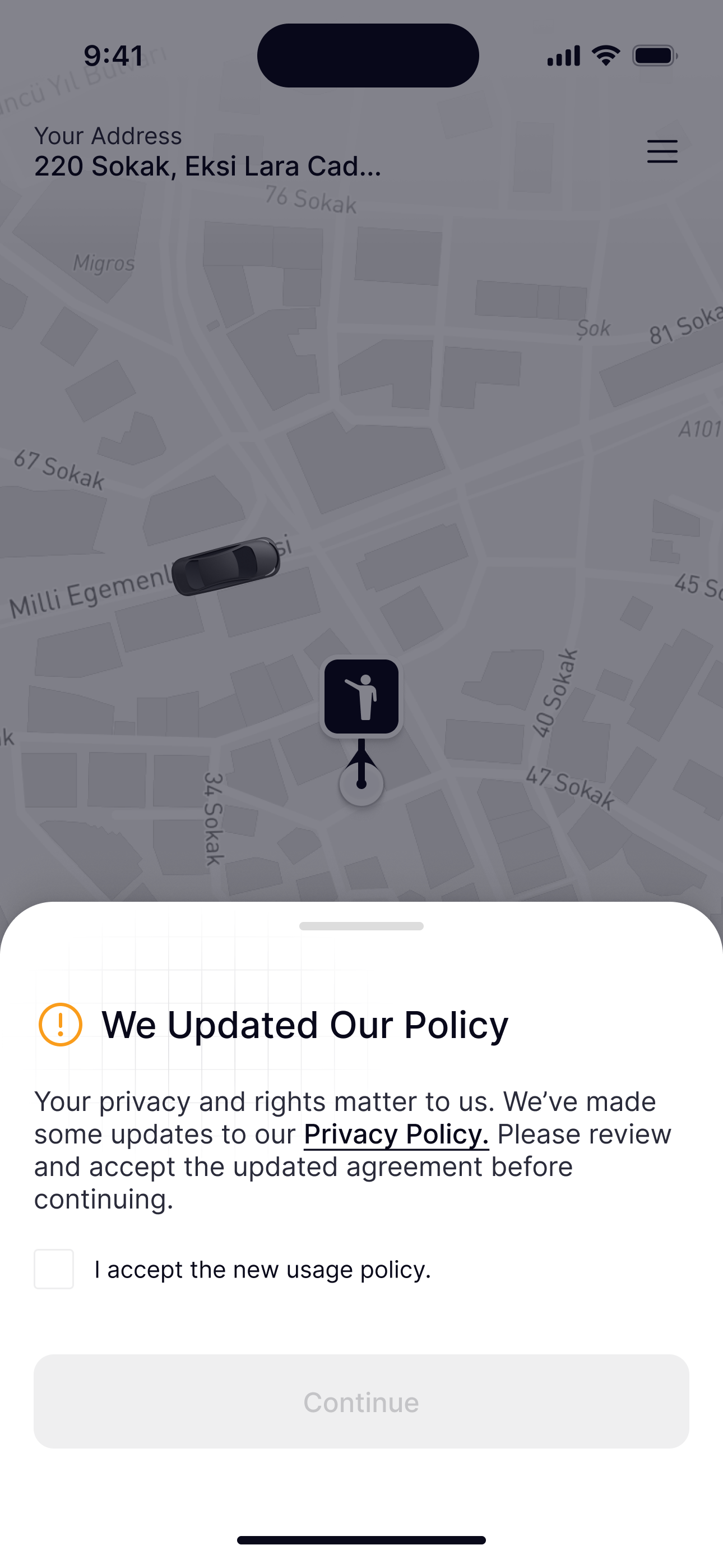
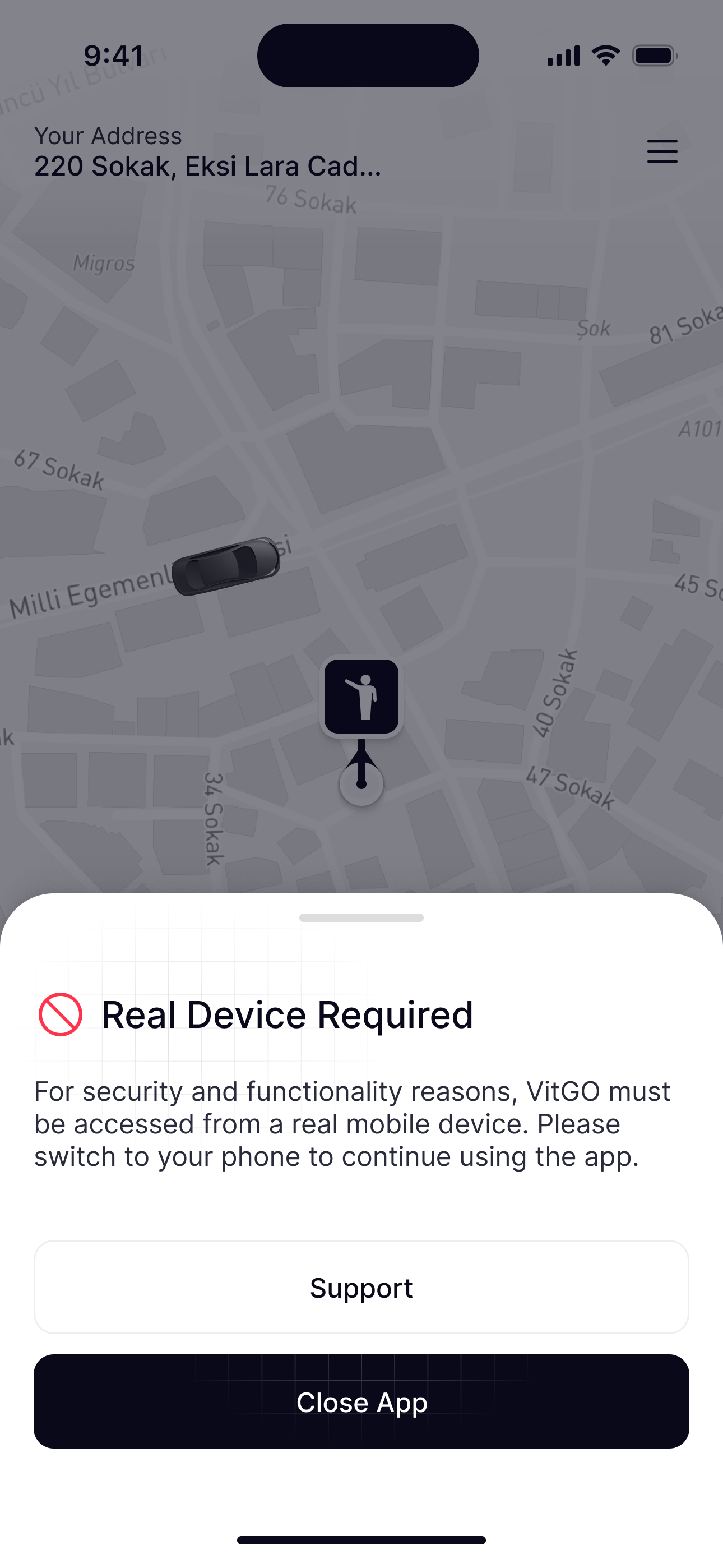
The happy path is only half the app. These are the moments most designs skip: no connection, a changed policy, the wrong device. Each one tells people what happened and what to do next.
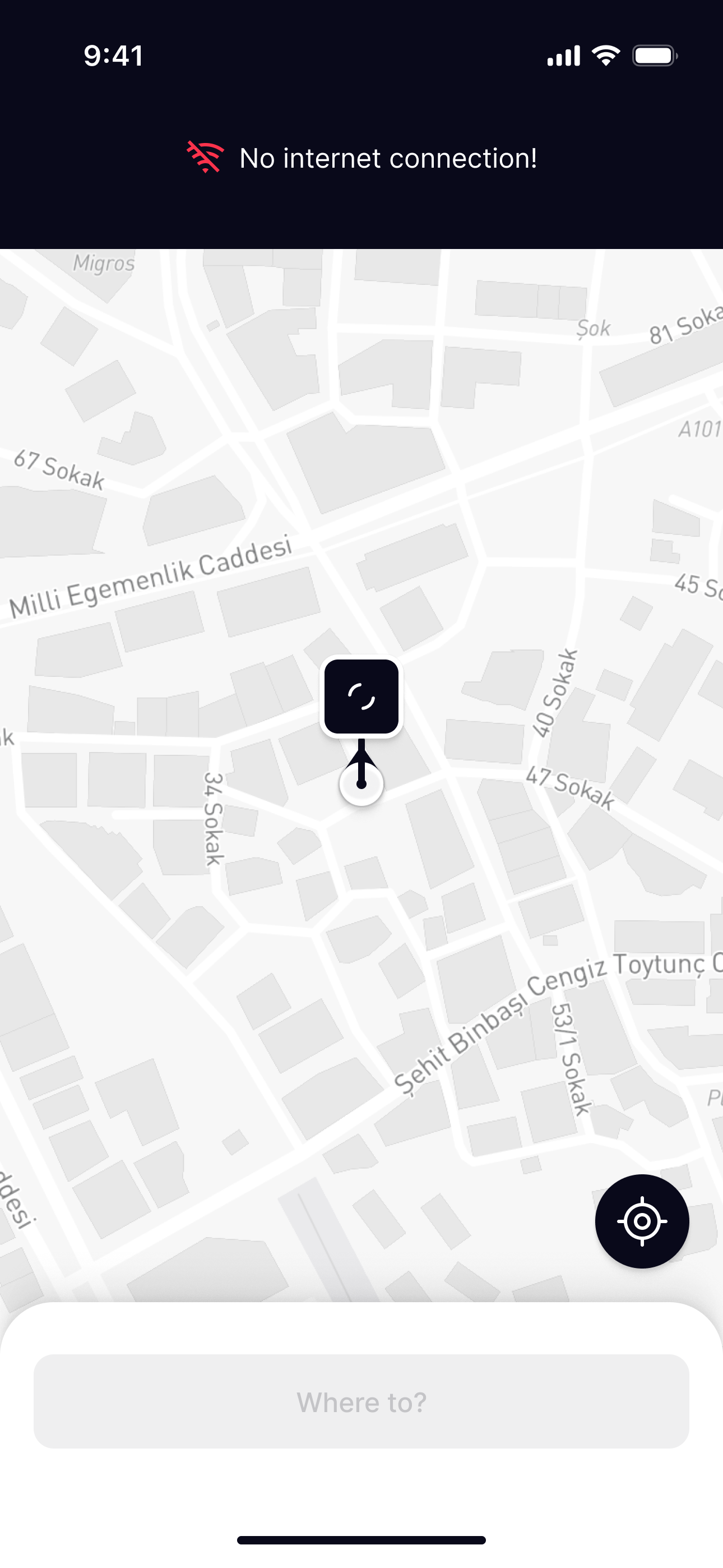
The status bar turns into No internet connection!, the pin keeps spinning and Where to? is disabled, so nobody requests a ride that can’t reach a driver.
Driver
Going online, taking requests and tracking performance.
Driver mode
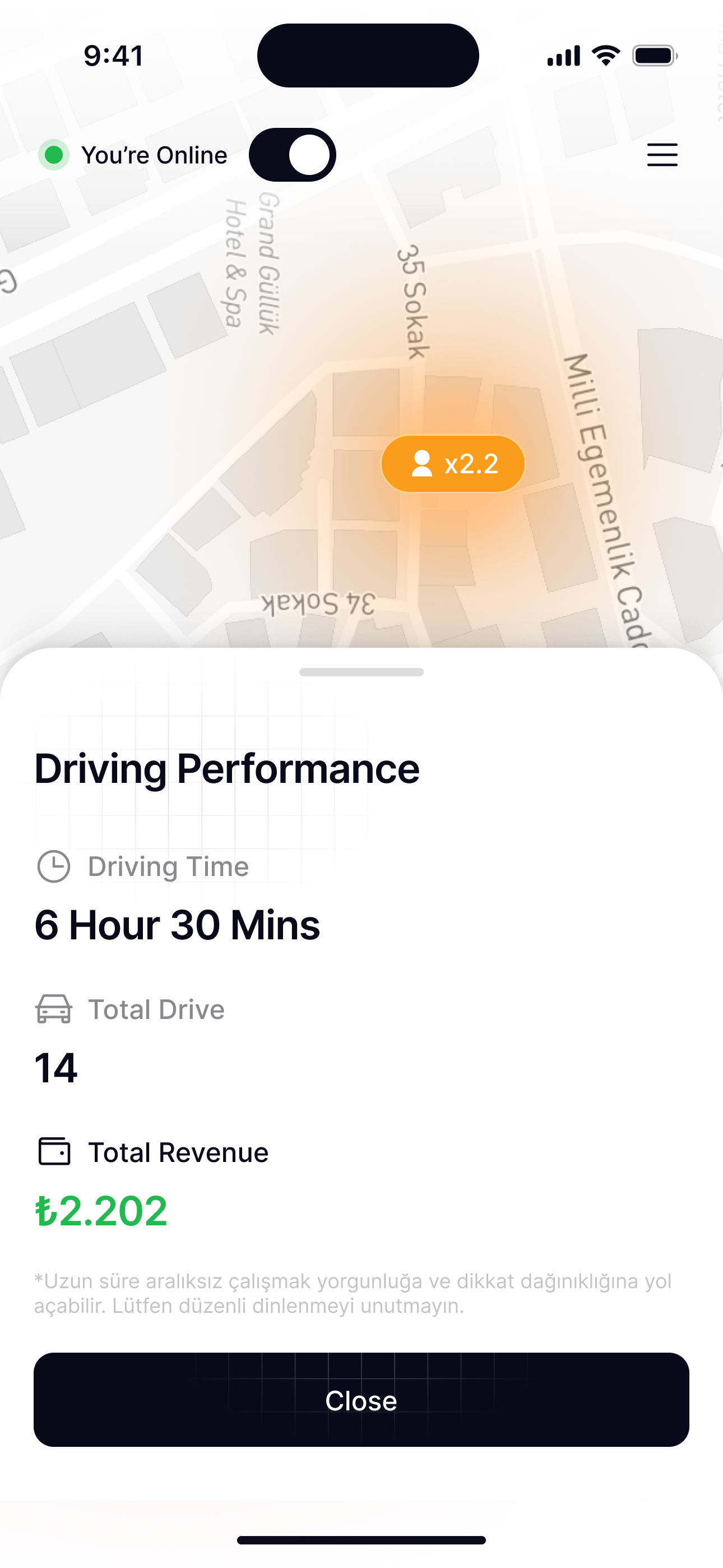
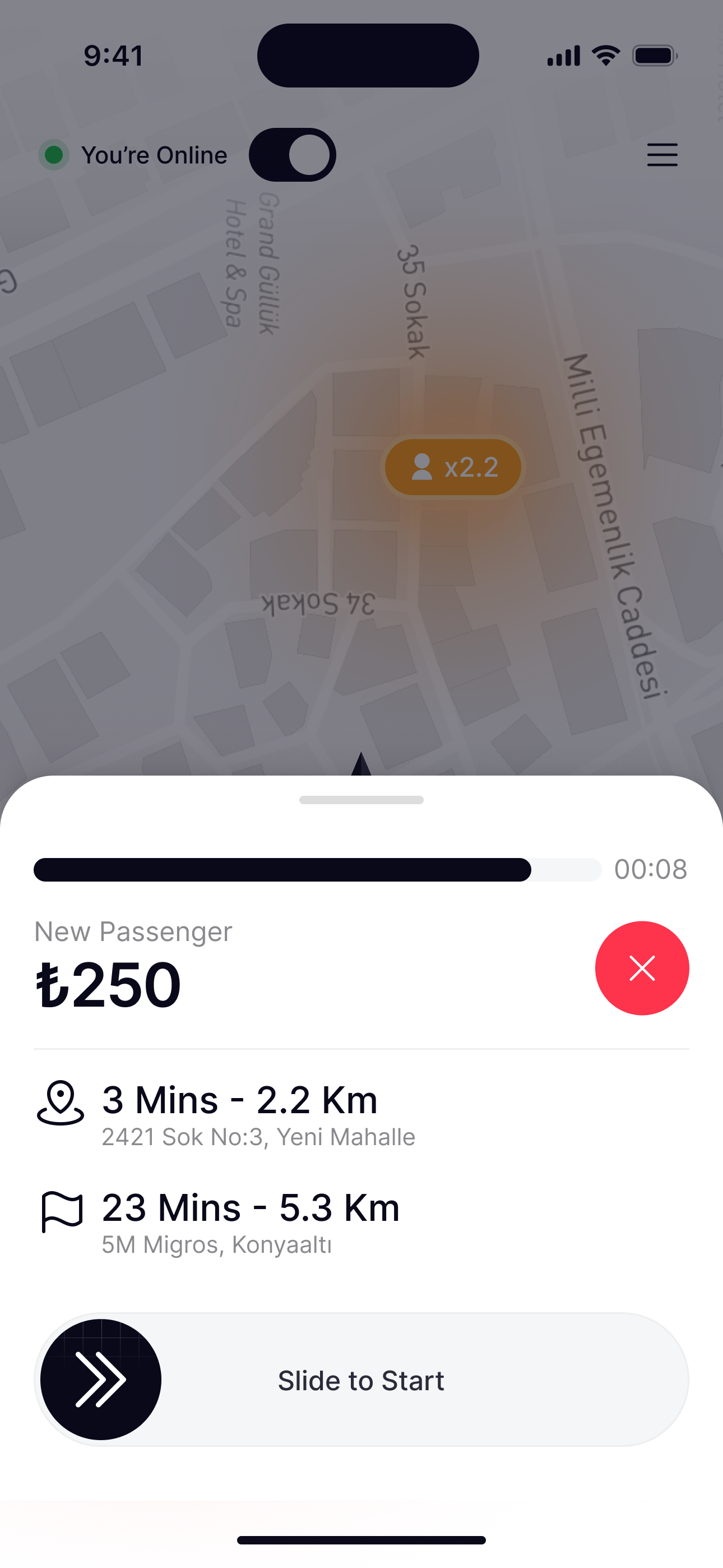
The same app, the other side of the ride: calm when offline, informative when online, and every request answered with one gesture.
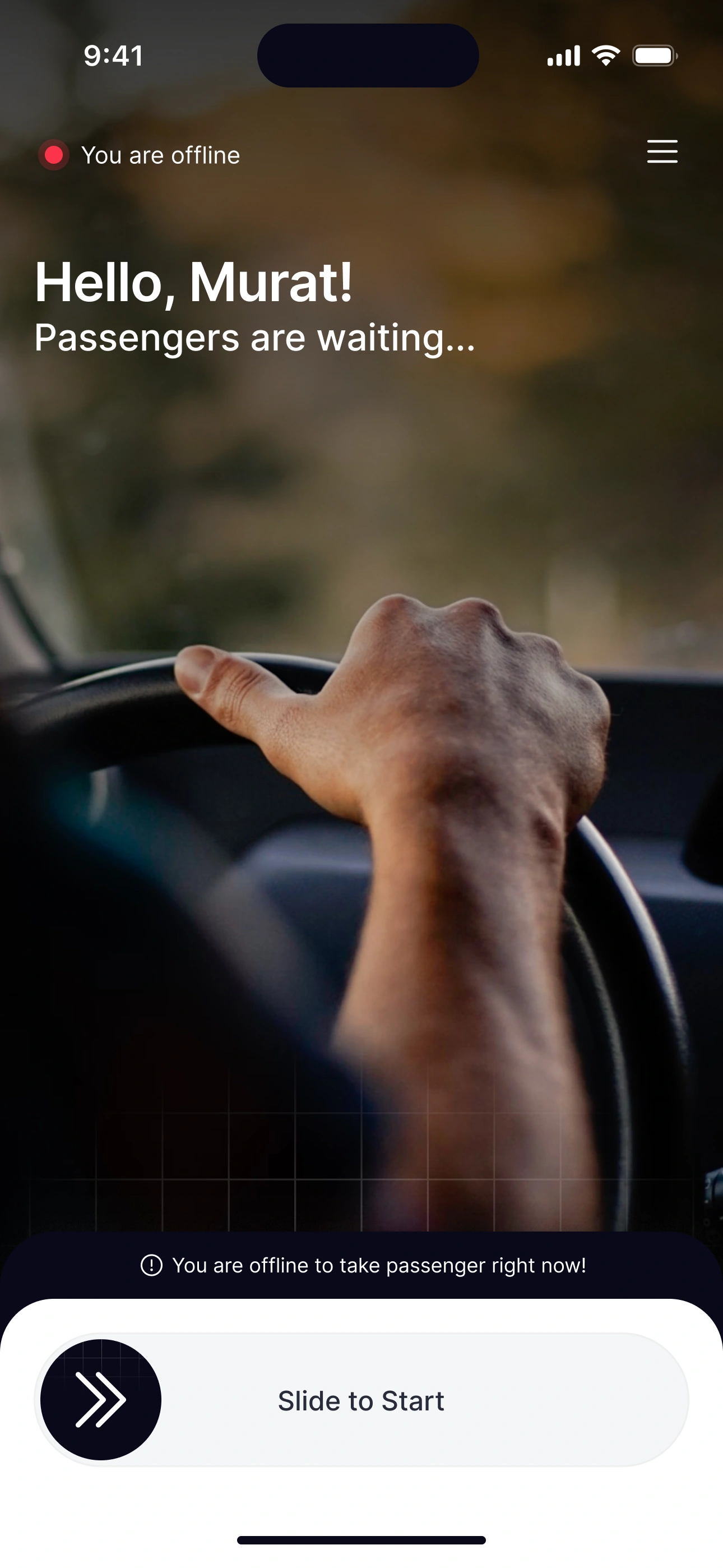
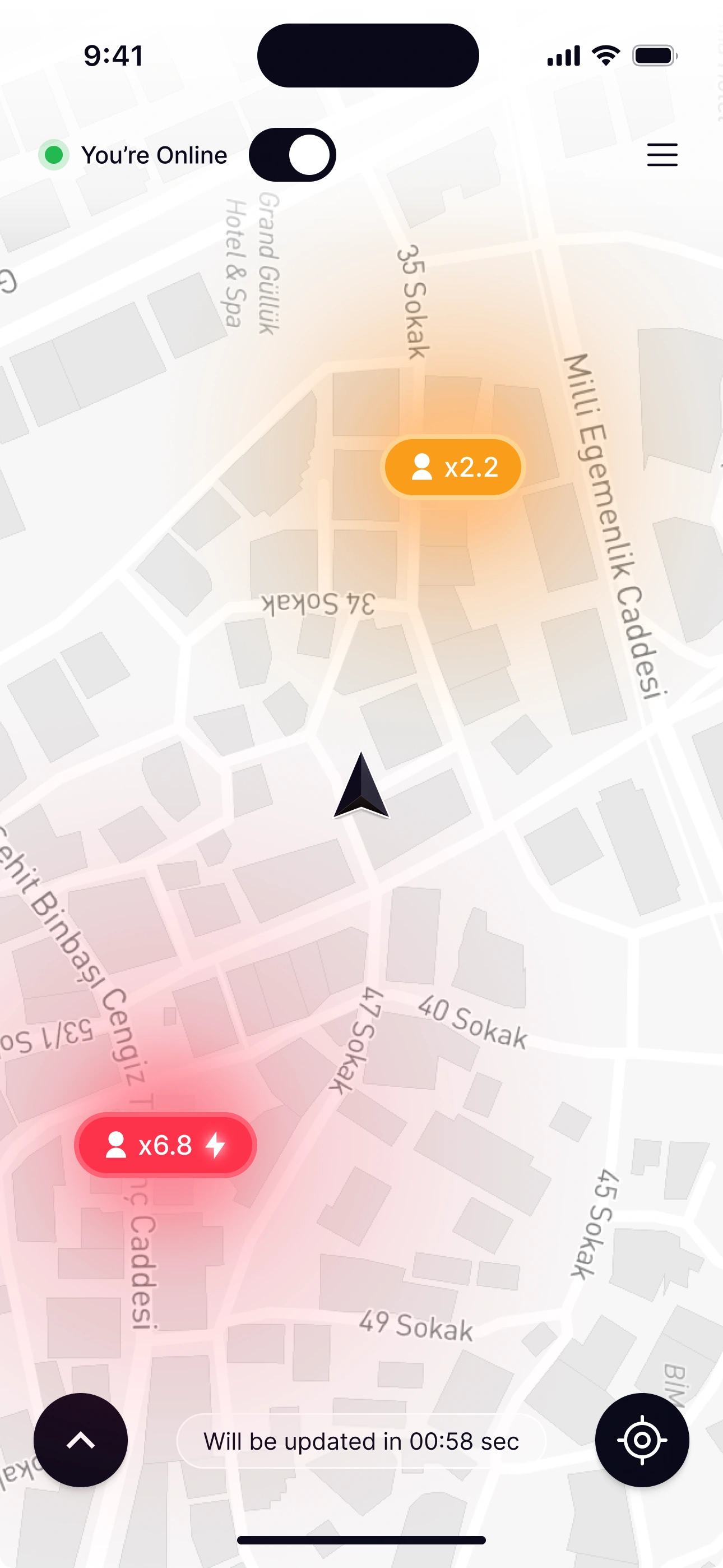
Offline, Home is calm: Hello, Murat! Passengers are waiting, and one Slide to Start, which stops drivers going online by accident.
On a trip
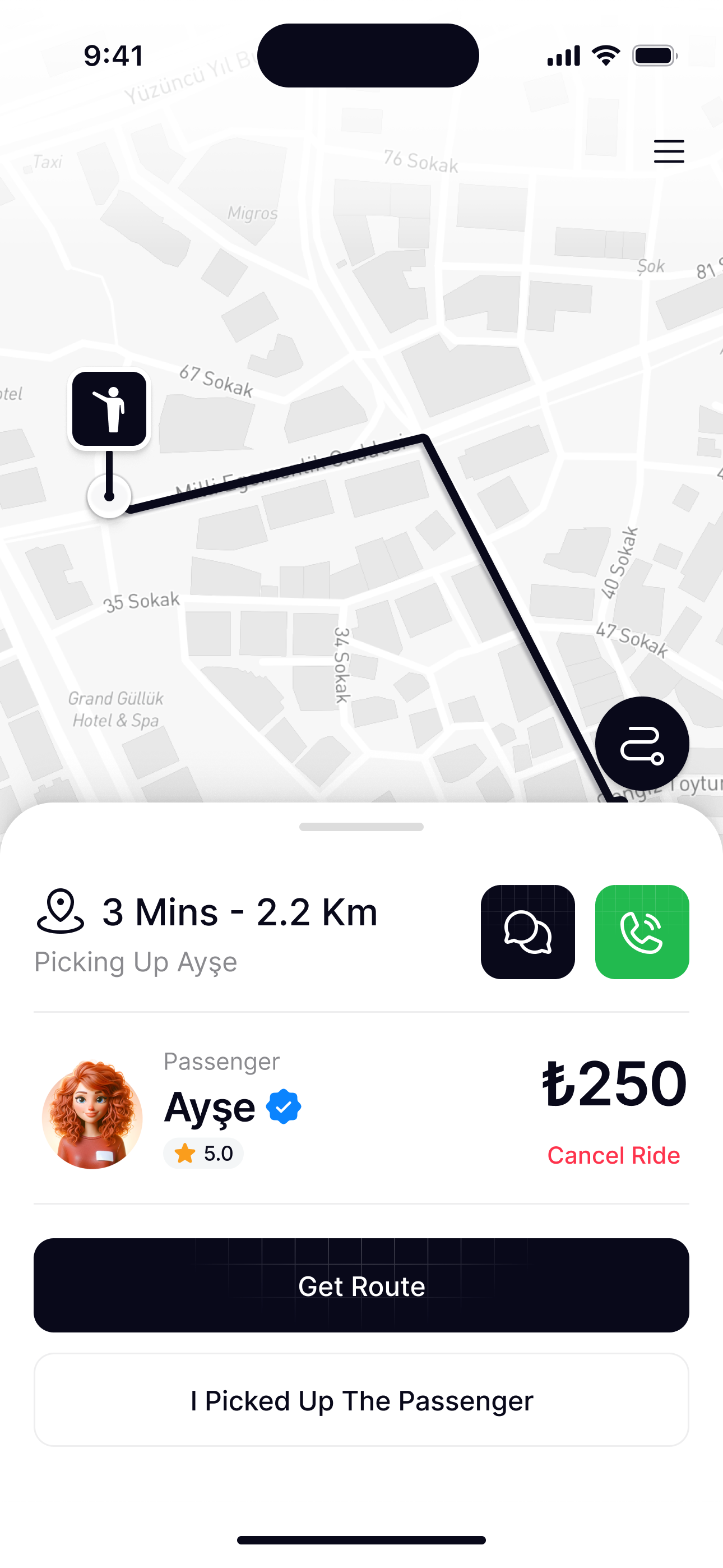
Once a ride is accepted, the screen gets out of the way: the route first, the essentials in a small sheet, and the hard choices asked carefully.
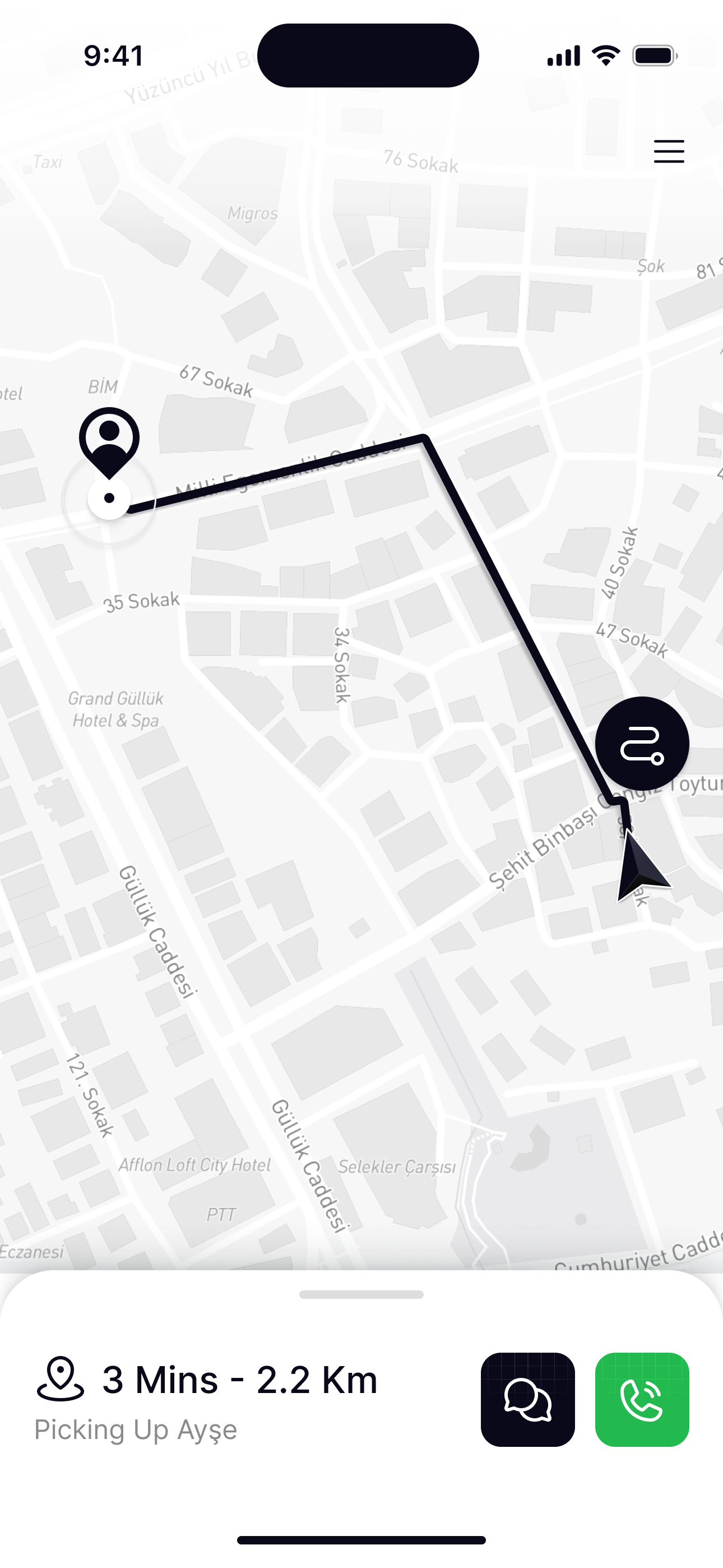
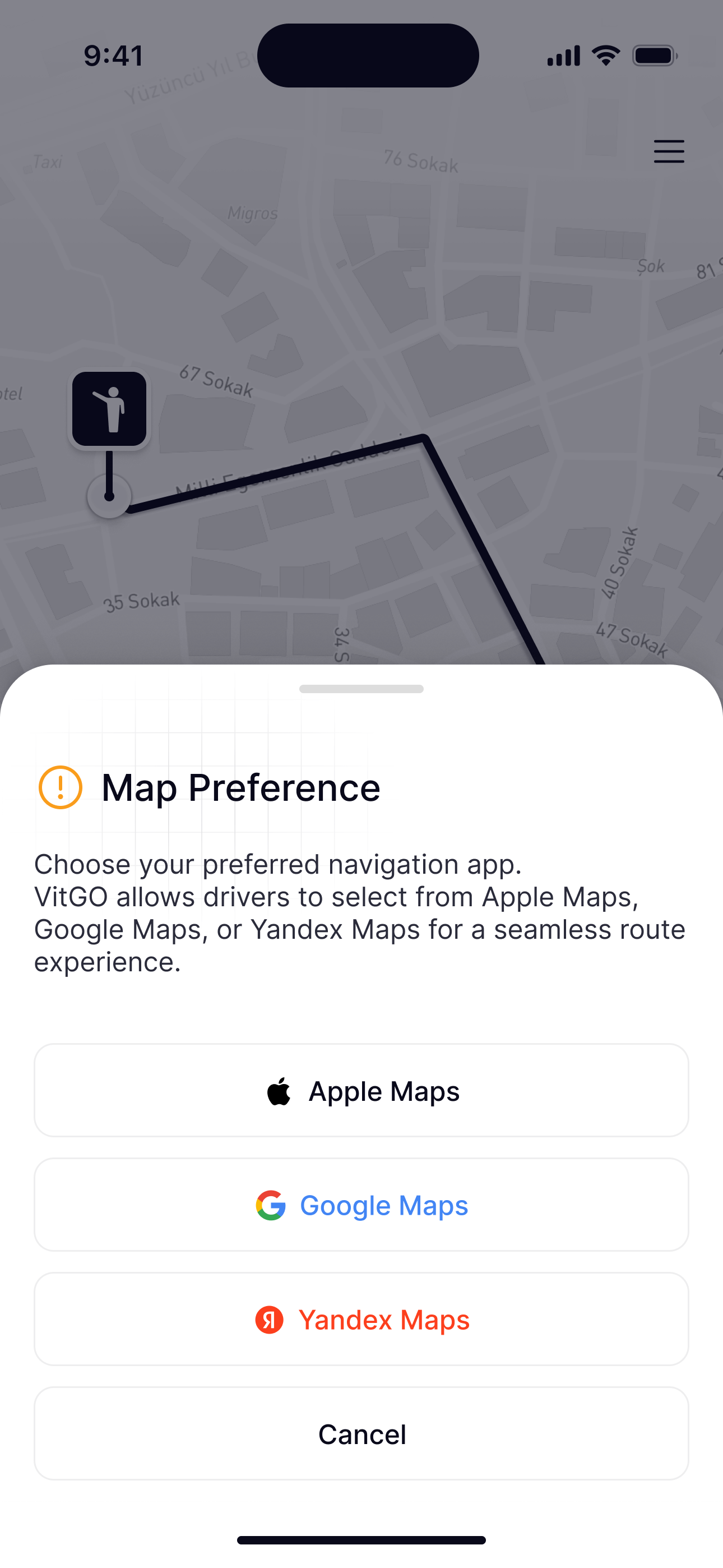
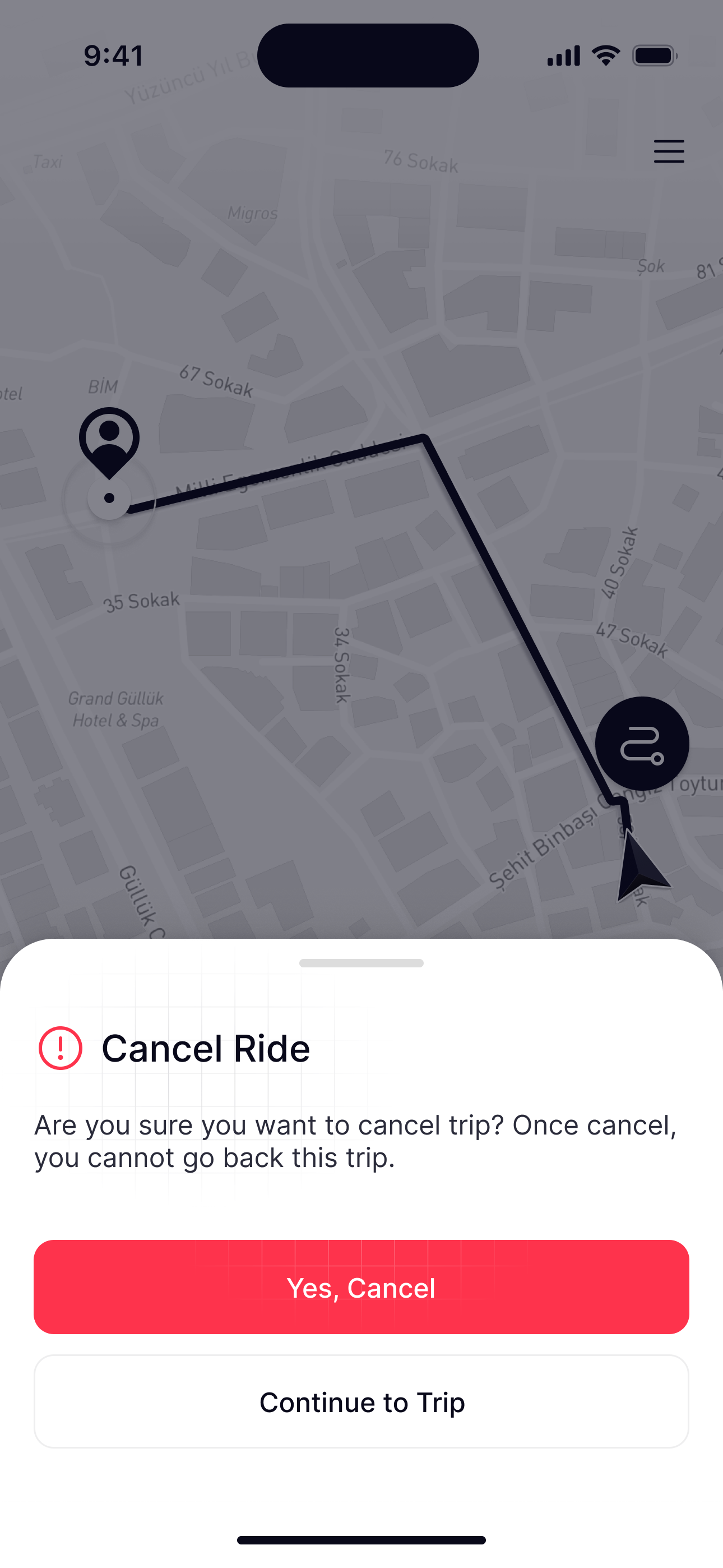
On the way to pickup the map stays bright and the sheet stays small: minutes, distance and who you’re picking up, with message and call beside them.
Going offline
Ending a shift is a decision, so it’s asked clearly, and it ends on the driver’s results, not on an empty map.
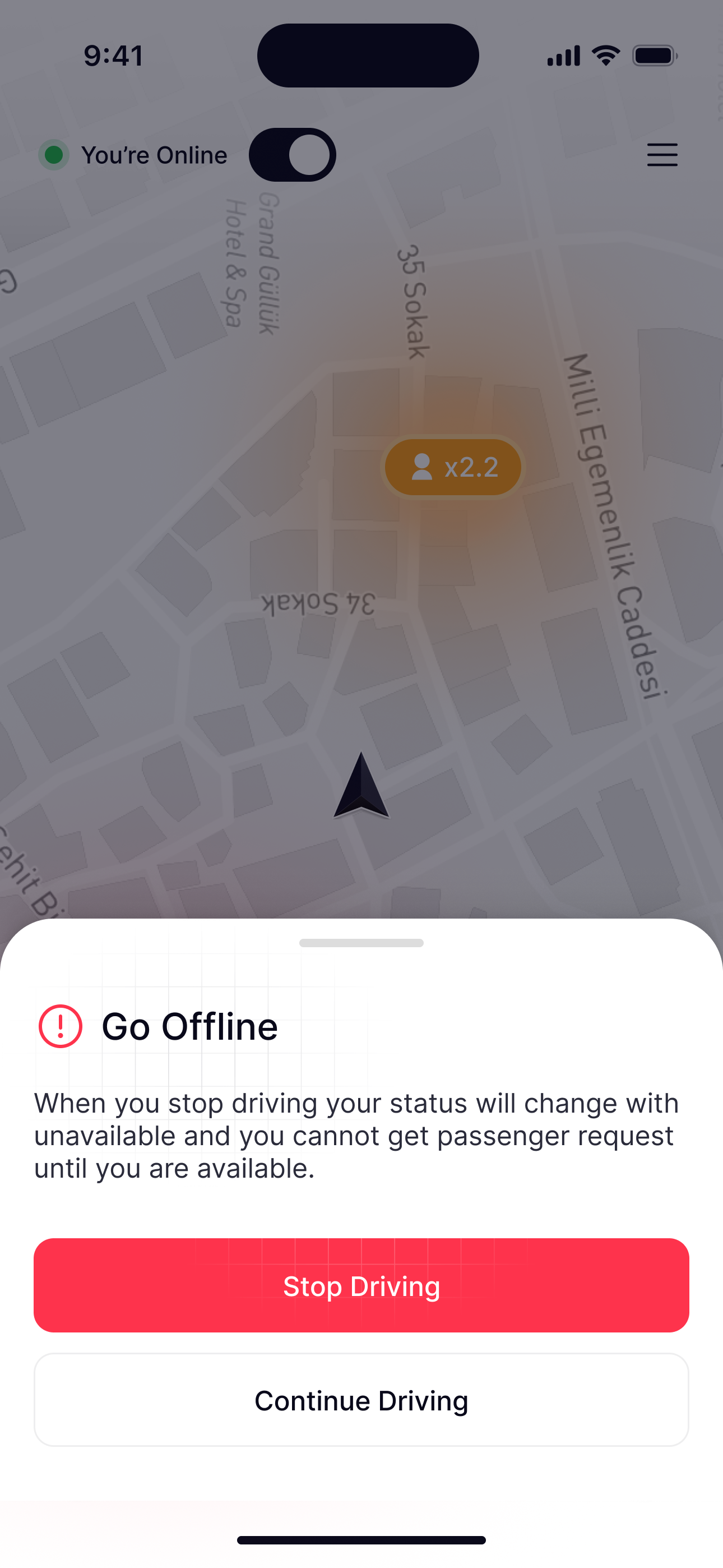
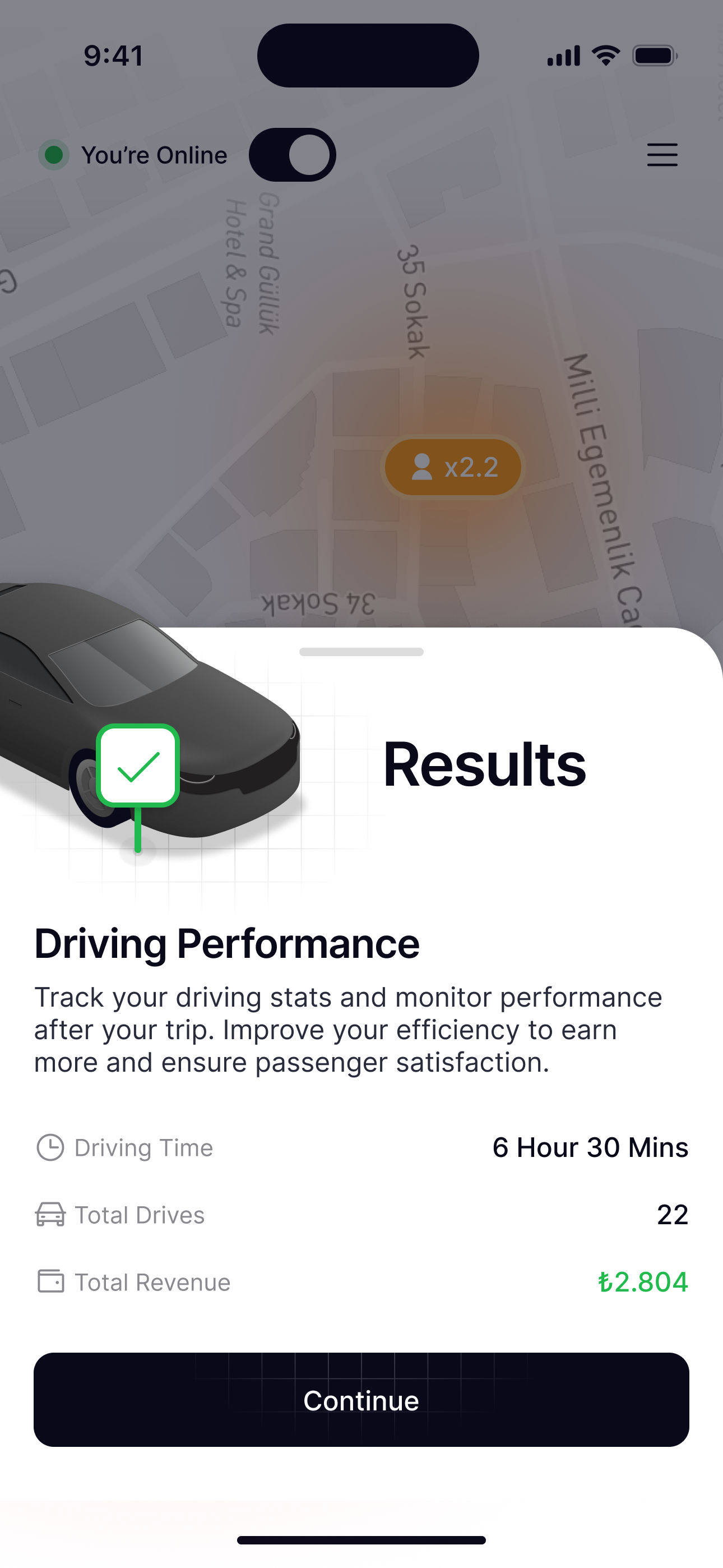
Stopping asks once and says what it means: no more requests until you’re back. Continue Driving sits right under it.
Reflection
- UX
- Live feedback everywhere: a pin that searches, a status that never moves, a trip on the lock screen. Complex moments became one clear next step for riders and drivers alike.
- UI
- A minimal look with clear hierarchy, dark accents for what matters and soft motion for every change of state kept it professional yet friendly.
- What I learned
- Live feedback builds trust, each role needs its own design, and the edge cases deserve the same care as the happy path.


