Note · Design systems / color theory

Color Harmony Is a Relationship, Not a Palette.

How hue, lightness, chroma and contrast create predictable color systems for digital products.
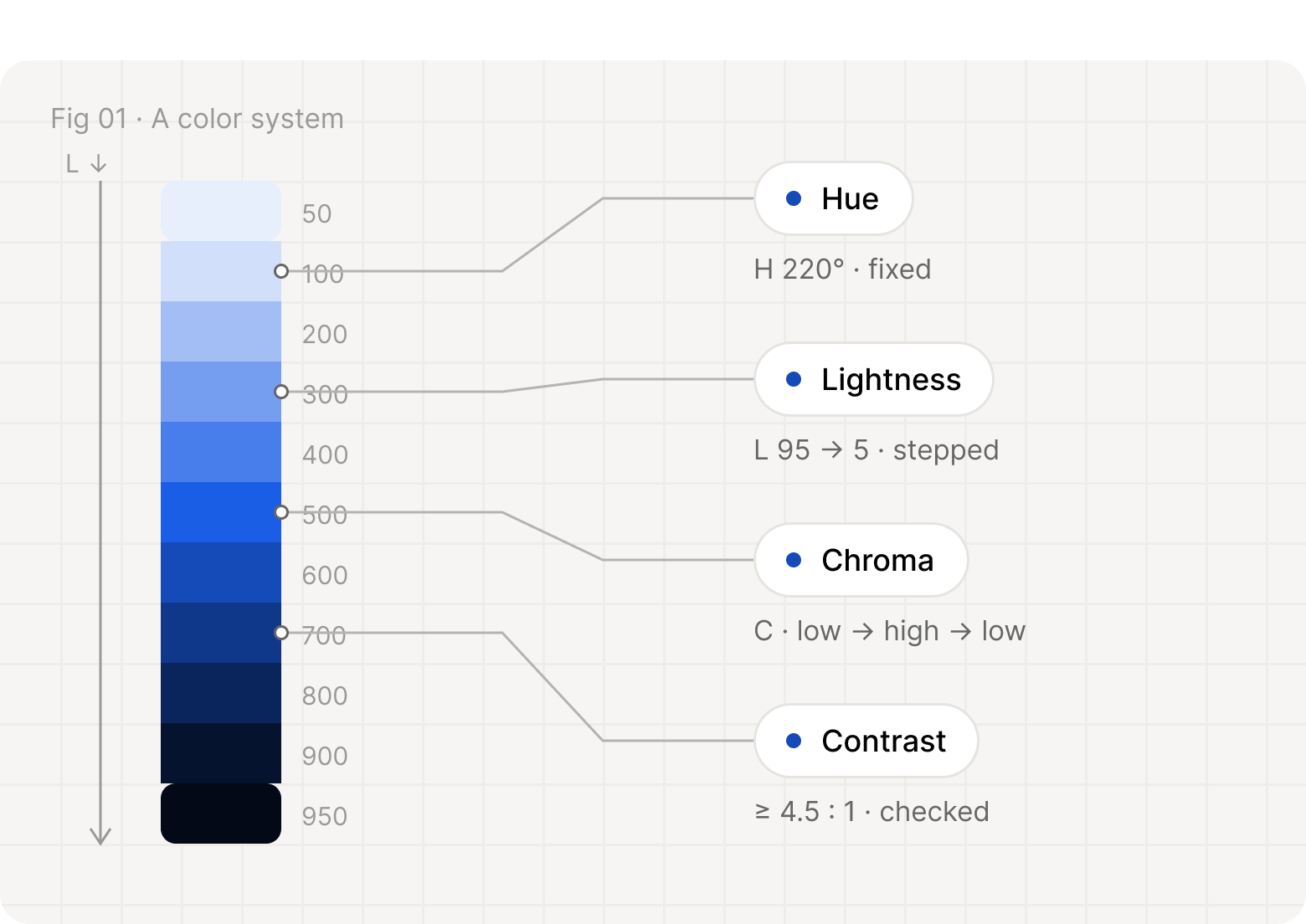
A blue scale from 50 to 950, with lines to its four rules: hue fixed at 220°, lightness stepped from 95 to 5, chroma low to high to low, and contrast checked at 4.5:1
Four relationships hold a palette together: hue, lightness, chroma and contrast.

What is color harmony?

A palette is a set of colors. A system is a set of rules that produced them. When the rules are clear, every new color has an obvious place, and the interface feels calm even before anyone notices why.

“Color harmony in software is the predictable relationship between colors.”
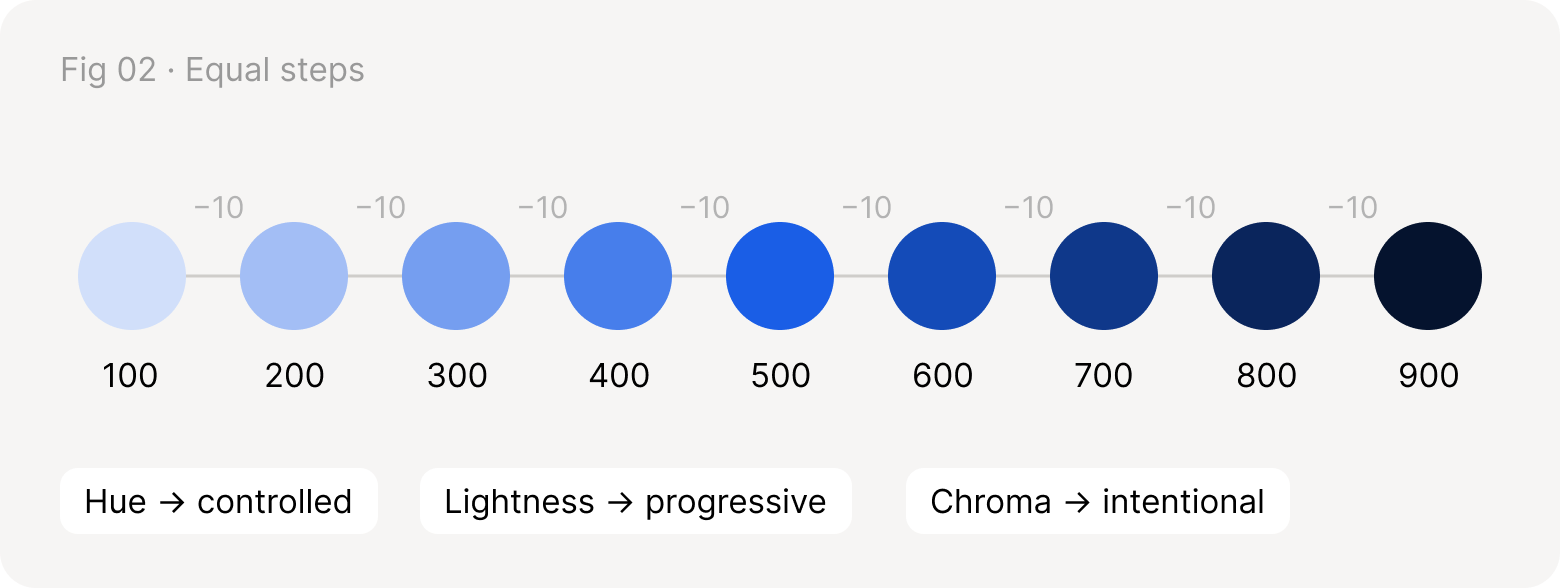
Nine blue circles from 100 to 900, each a step of 10 darker than the last
Nine steps, one hue, an even jump in lightness each time.

HSL explained

HSL describes a color with three numbers people can reason about: hue is the angle on the color wheel, saturation is how vivid it is, and lightness is how close it sits to black or white.
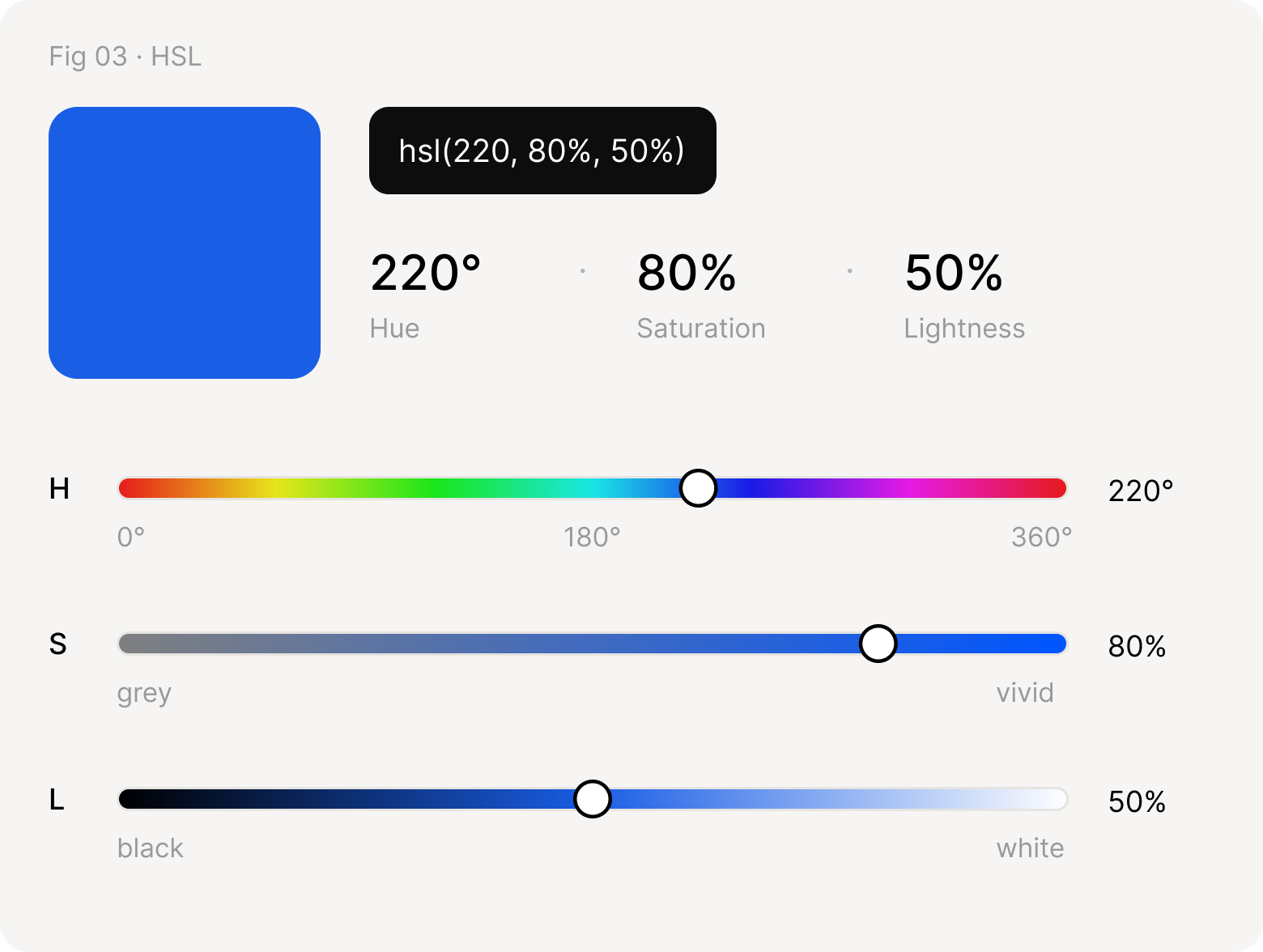
hsl(220, 80%, 50%) as a blue swatch, with three sliders: hue at 220° on a rainbow, saturation at 80% from grey to vivid, lightness at 50% from black to white
Each number moves one slider. Hue picks the family; saturation and lightness shape it.

Building a color scale

The simplest scale keeps hue and saturation fixed and moves lightness in even steps of 10. Every step is predictable, so anyone can add a new one.
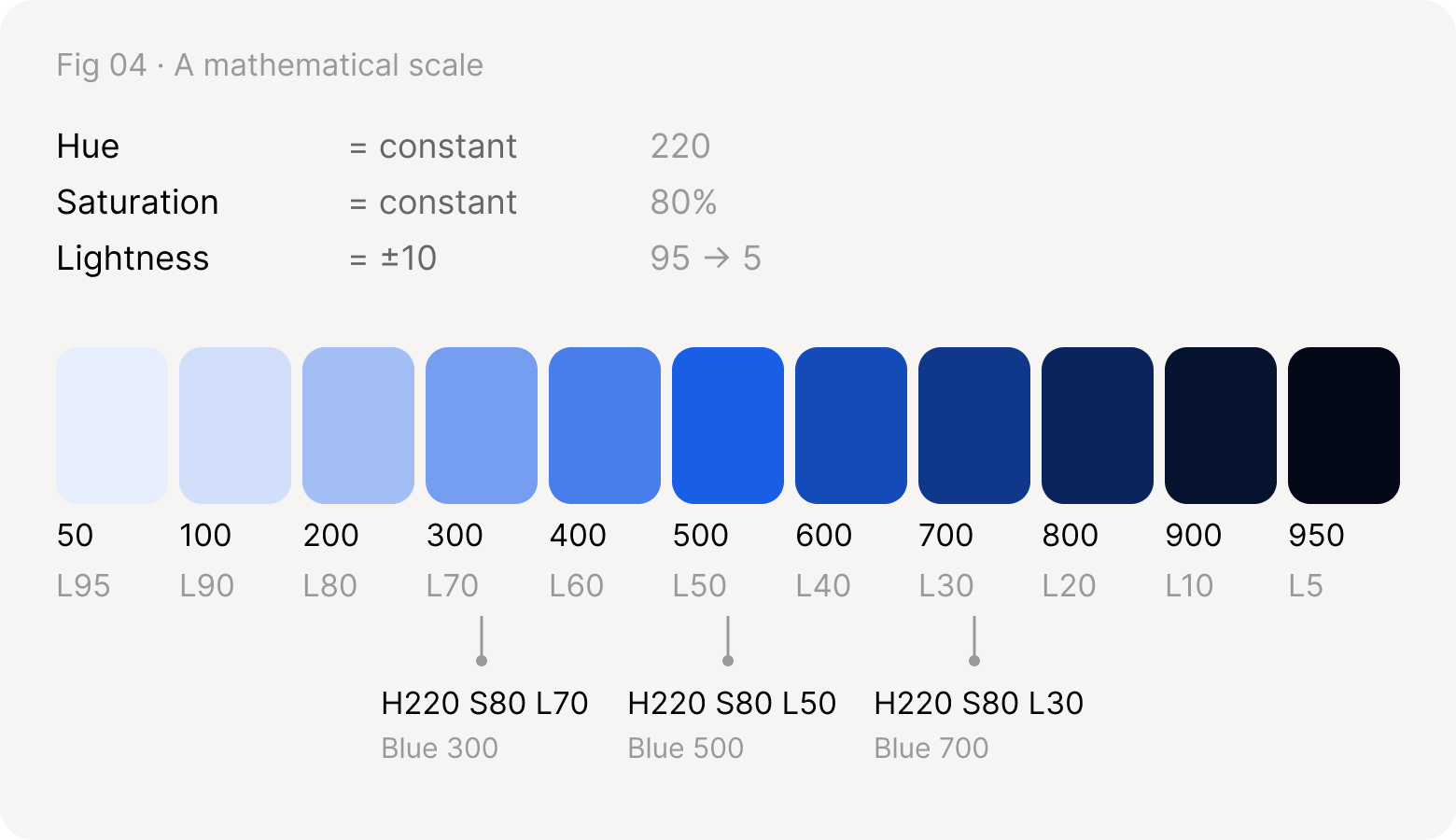
Hue 220 and saturation 80% held constant while lightness steps by 10, from 95 to 5, giving blue 50 to 950
Simple mathematical harmony.

Tints, shades and tones

Every step in a scale is one of three moves away from the base color: add white, add black, or take chroma away.
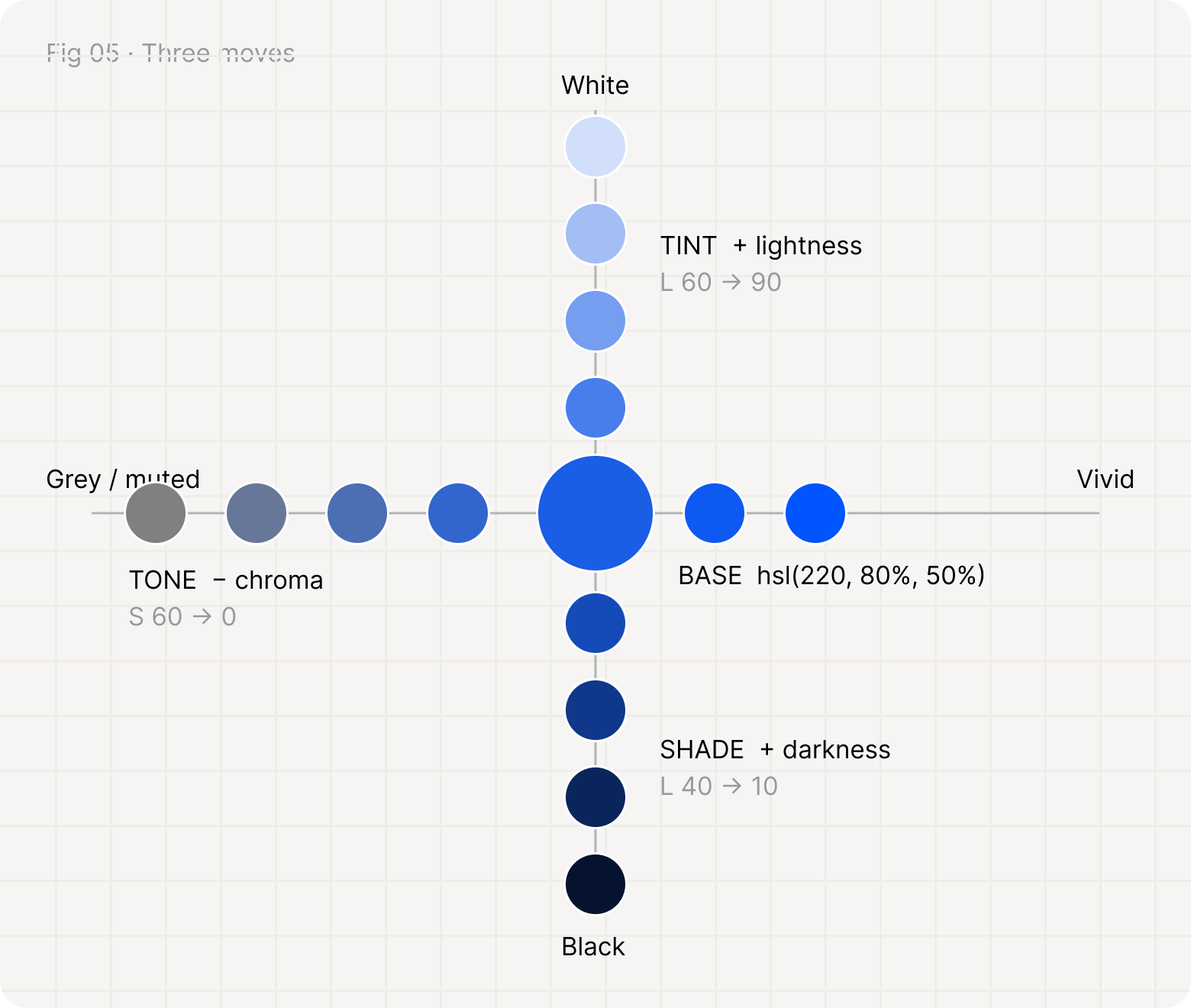
A base blue in the middle: tints rise towards white, shades fall towards black, and tones move left towards grey
Tint adds lightness, shade adds darkness, tone reduces saturation.

The problem with HSL

HSL’s lightness is a formula, not a perception. Two colors with the same L can look worlds apart.
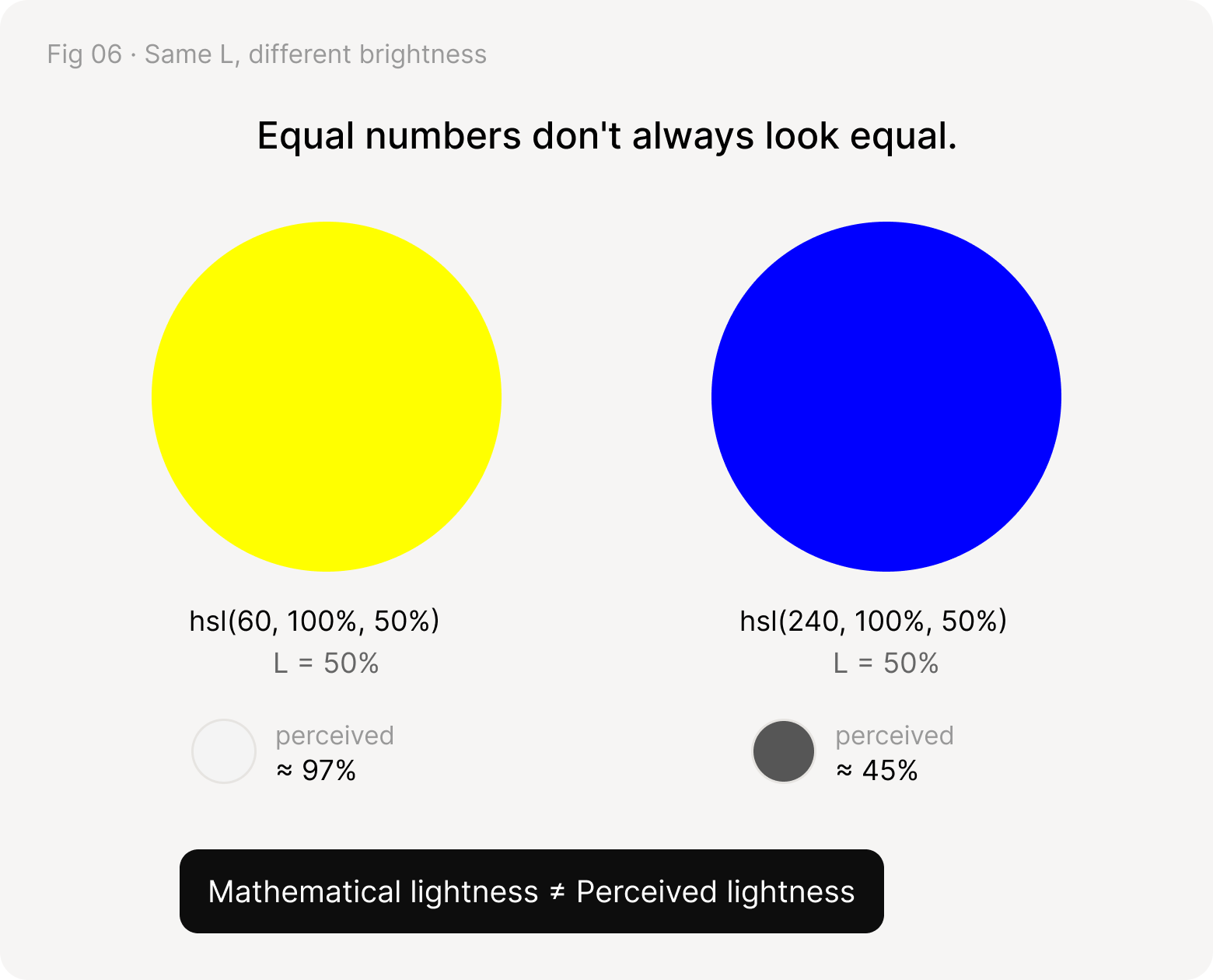
Yellow hsl(60, 100%, 50%) and blue hsl(240, 100%, 50%) share L = 50%, but are perceived at about 97% and 45% lightness
Grey dots show each color’s perceived lightness (OKLab L): about 97% for yellow and 45% for blue.

Color space

Picture color as a cylinder. Lightness runs up the middle, hue wraps around it, and chroma grows from the centre outwards. A scale is a path through this space.
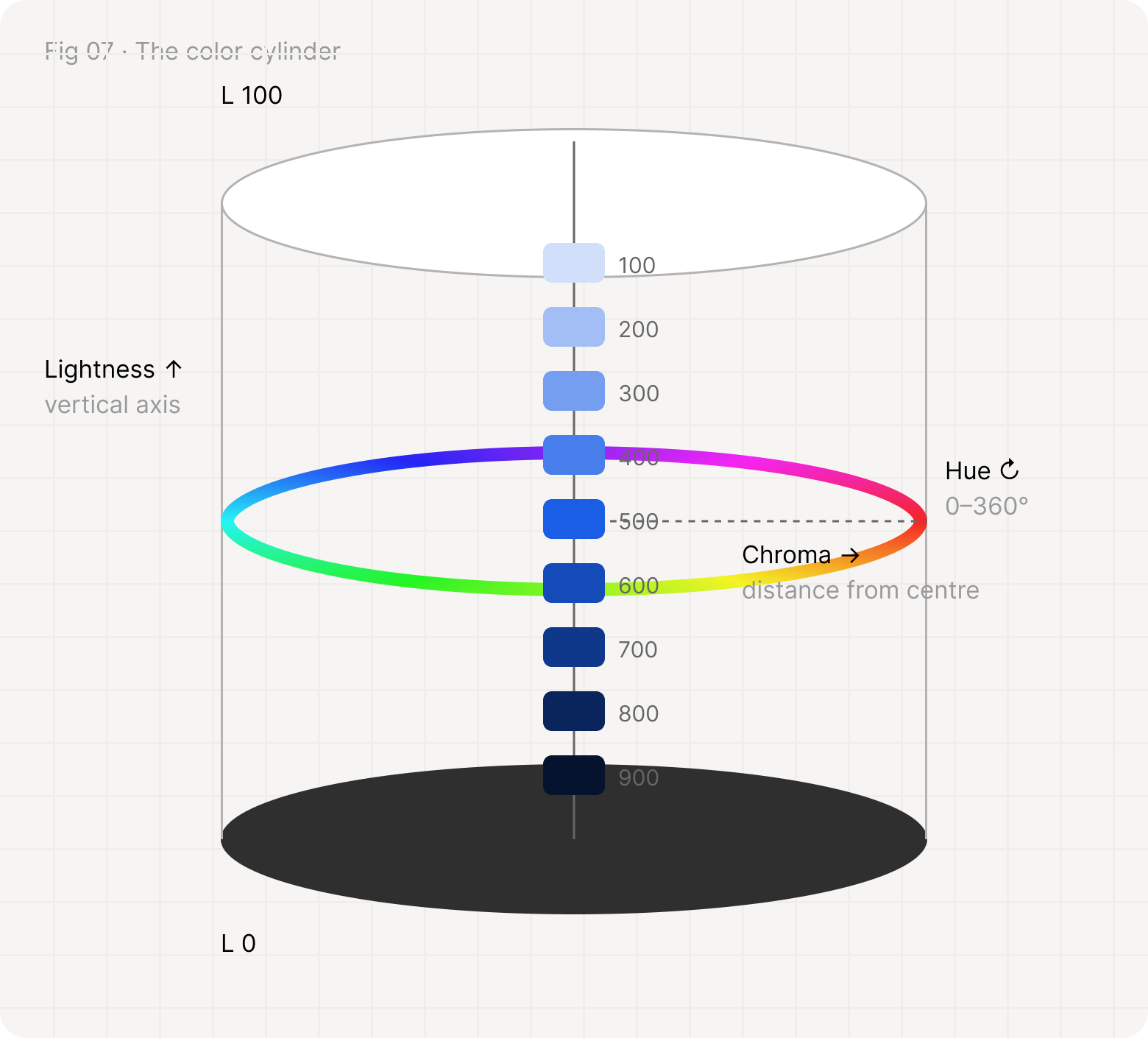
A cylinder with lightness as the vertical axis, a hue ring around it and chroma as distance from the centre, with the blue scale climbing the axis
The blue scale climbs the lightness axis at one hue, near the centre at both ends.

Introducing OKLCH

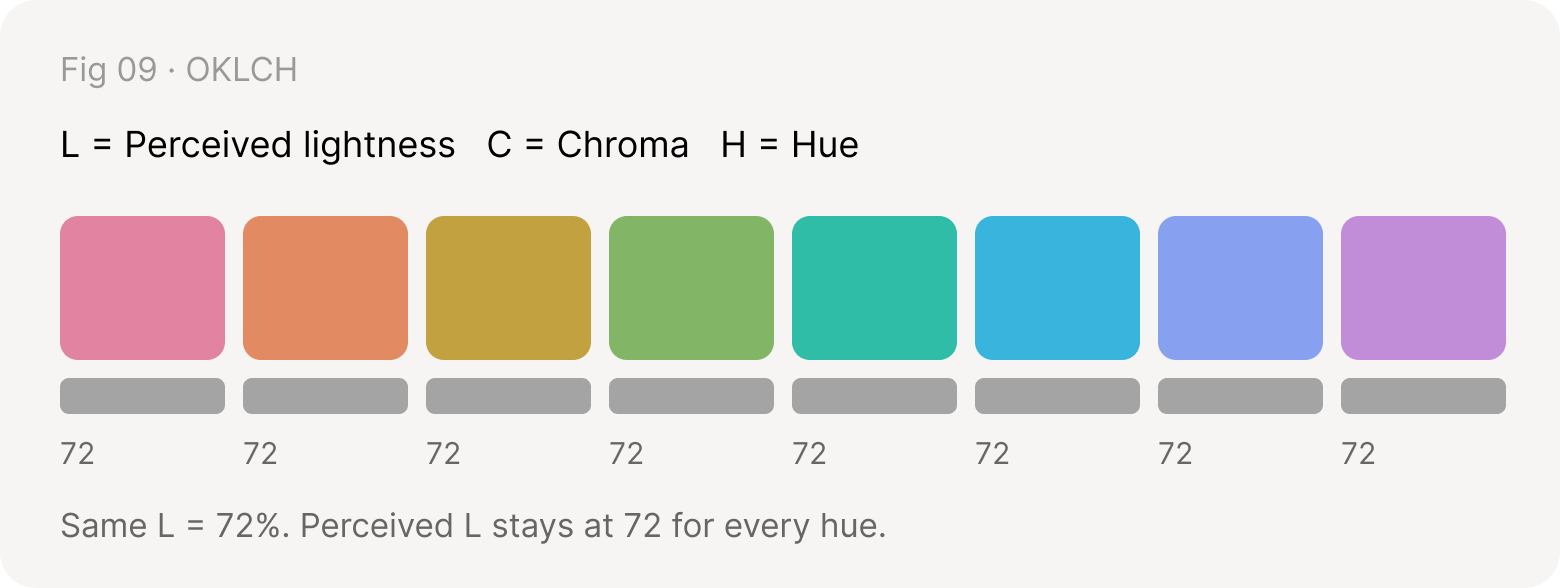
OKLCH is built around how we see. Its L is perceived lightness, so equal steps look equal whatever the hue, and C (chroma) says how colorful a color is.
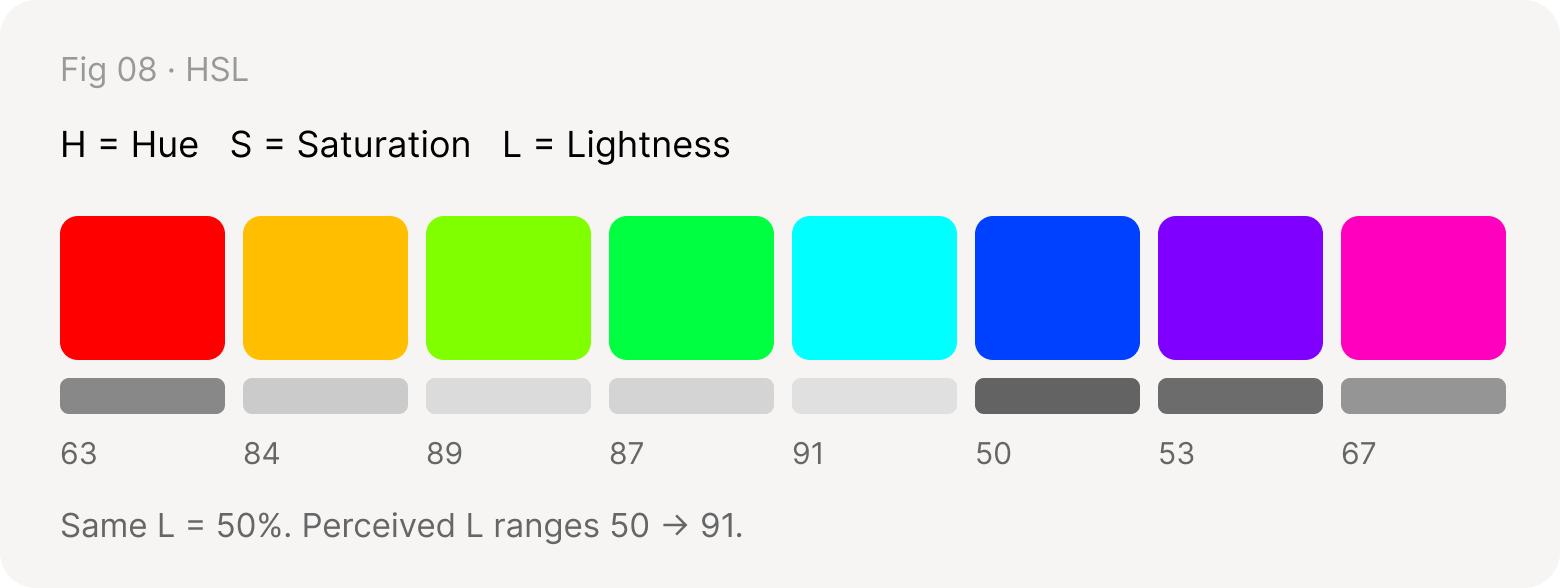
Eight HSL colors at L = 50% whose perceived lightness ranges from 50 to 91
Eight OKLCH colors at L = 72% whose perceived lightness stays at 72 for every hue
Grey bars show perceived lightness. HSL jumps around; OKLCH stays level.
oklch(65% 0.18 250)
  • 65%→ Lightness (perceived)
  • 0.18→ Chroma
  • 250°→ Hue
“Design the relationship our eyes perceive, not only the numbers the computer understands.”

The chroma curve

A good scale doesn’t keep chroma constant. It peaks in the middle, where the brand lives, and eases off at both ends, where colors become backgrounds and text.
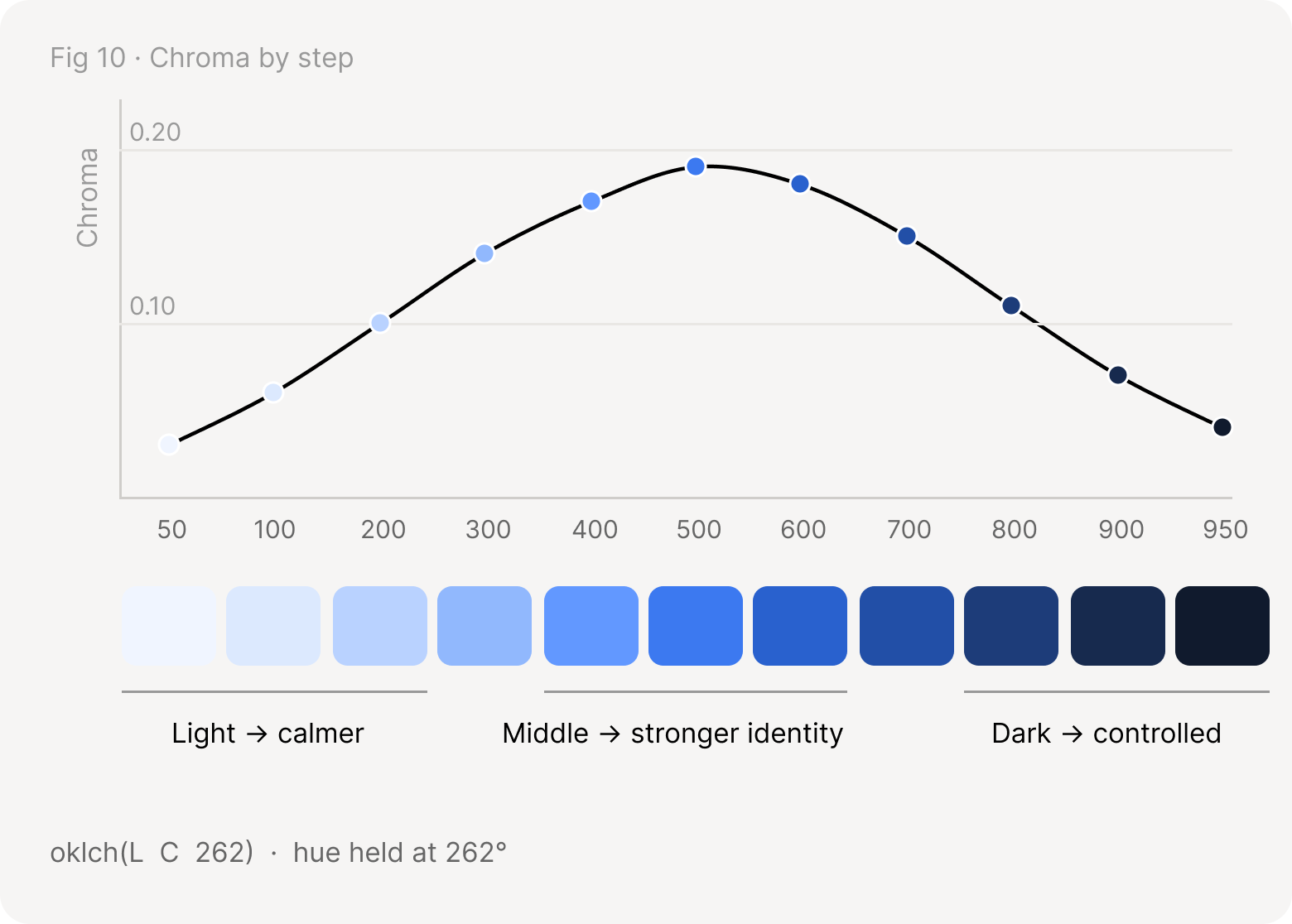
Chroma by step from 50 to 950 rises to a peak at 500 and falls again; light steps are calmer, the middle has the strongest identity, dark steps are controlled
Light colors stay calm, the middle carries the brand, dark colors stay controlled.

Four dimensions of color harmony

Harmony is four relationships working together. Miss one, and the palette starts to feel off even when the numbers look right.
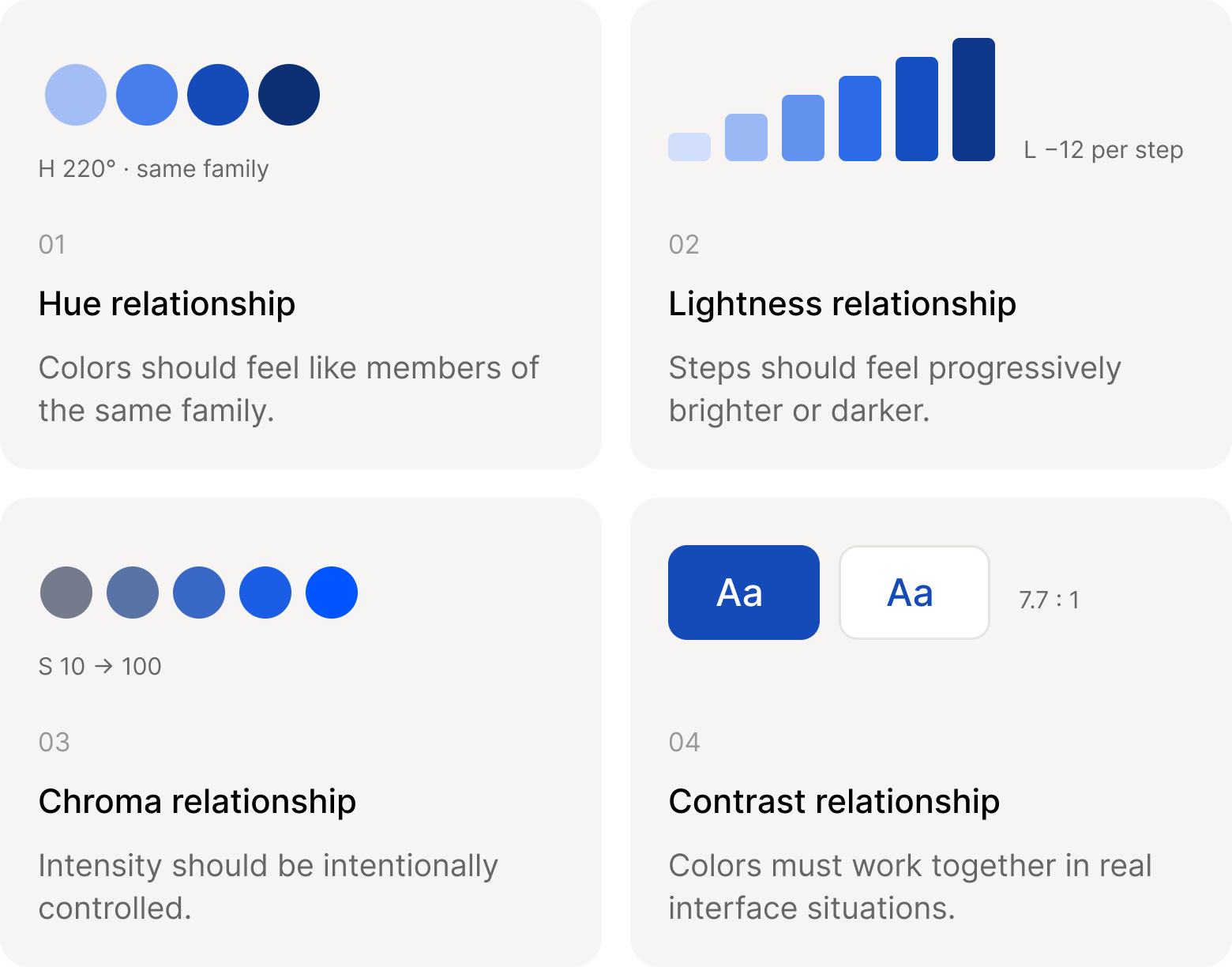
Four cards: hue relationship (one family), lightness relationship (progressive steps), chroma relationship (controlled intensity) and contrast relationship (7.7:1 in real interfaces)
Hue, lightness, chroma and contrast: four checks for every new color.

From palette to design system

A palette becomes a system when colors get jobs. Primitives hold raw values, semantic tokens describe intent, component tokens apply that intent, and components consume it.
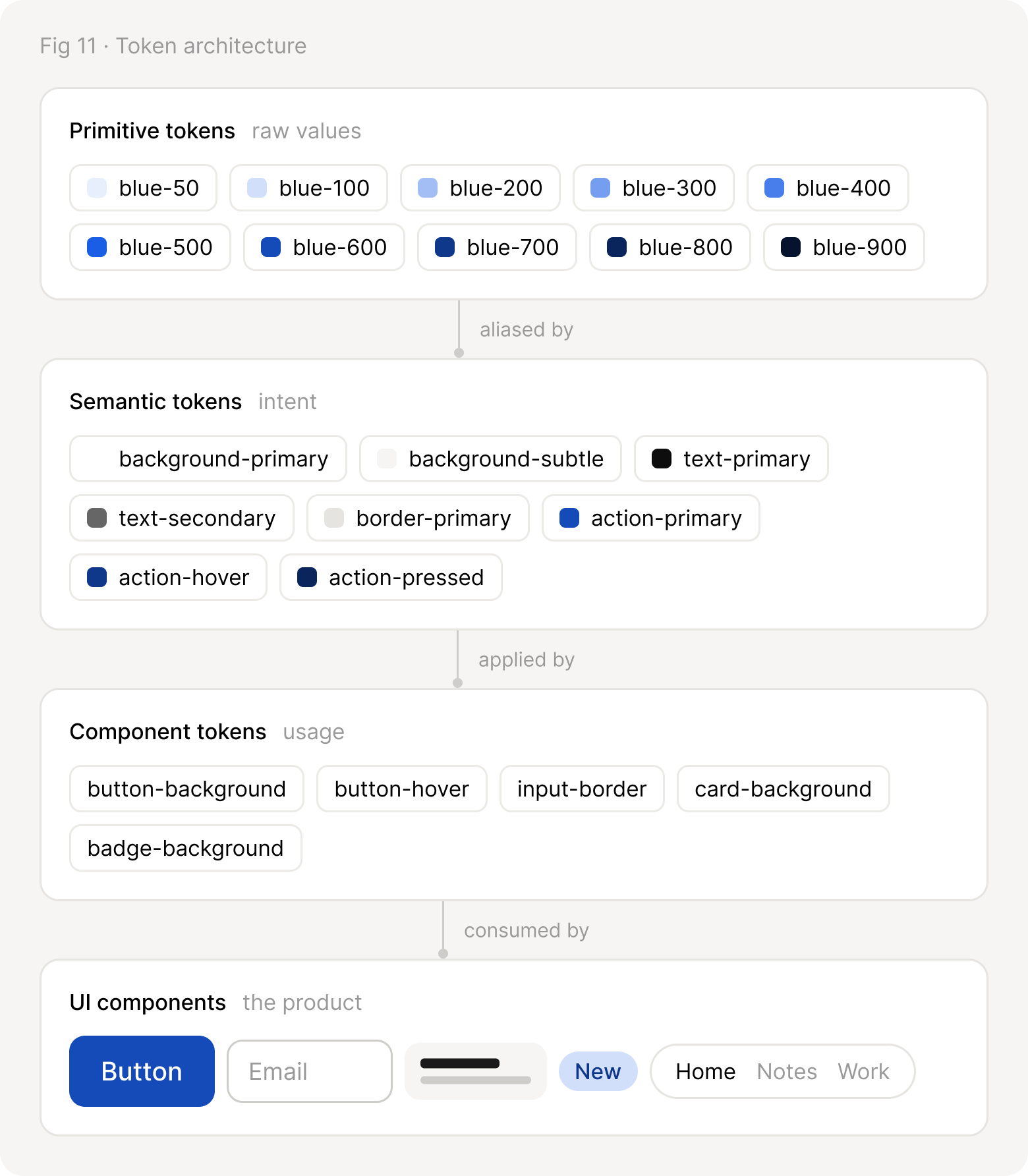
Four layers: primitive tokens blue-50 to blue-900, aliased by semantic tokens like action-primary, applied by component tokens like button-background, consumed by UI components
Four layers. Each one only talks to the layer above it.

Light mode and dark mode

Themes swap primitive values, never semantic names. Components keep asking for action-primary; the mode decides which blue answers.
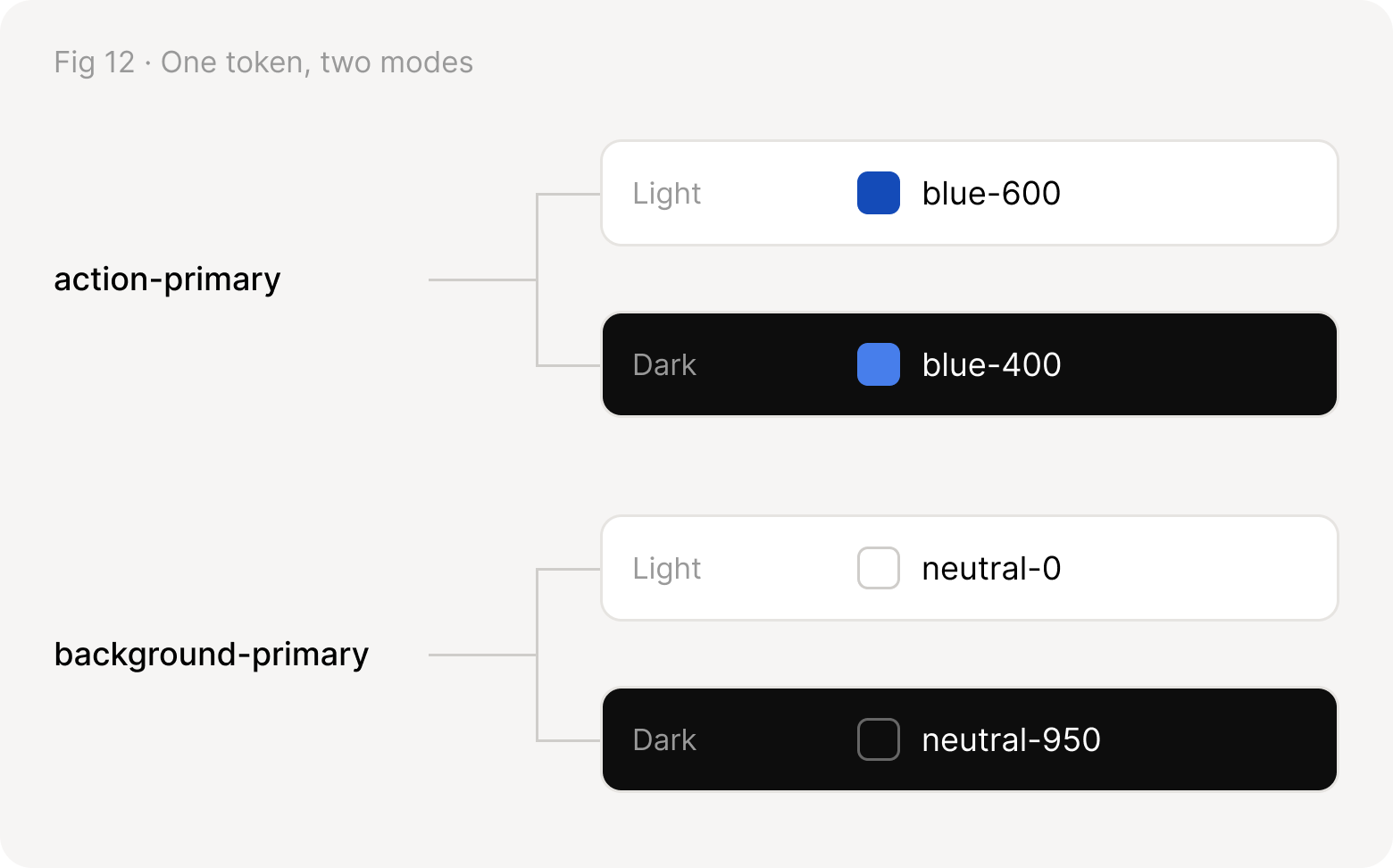
action-primary is blue-600 in light mode and blue-400 in dark mode; background-primary is neutral-0 in light and neutral-950 in dark
Semantic tokens stay stable while the primitive values underneath change.

Component states

Once tokens exist, a button’s states are steps along the scale. Each interaction moves one step darker, and focus adds a ring instead of a new color.
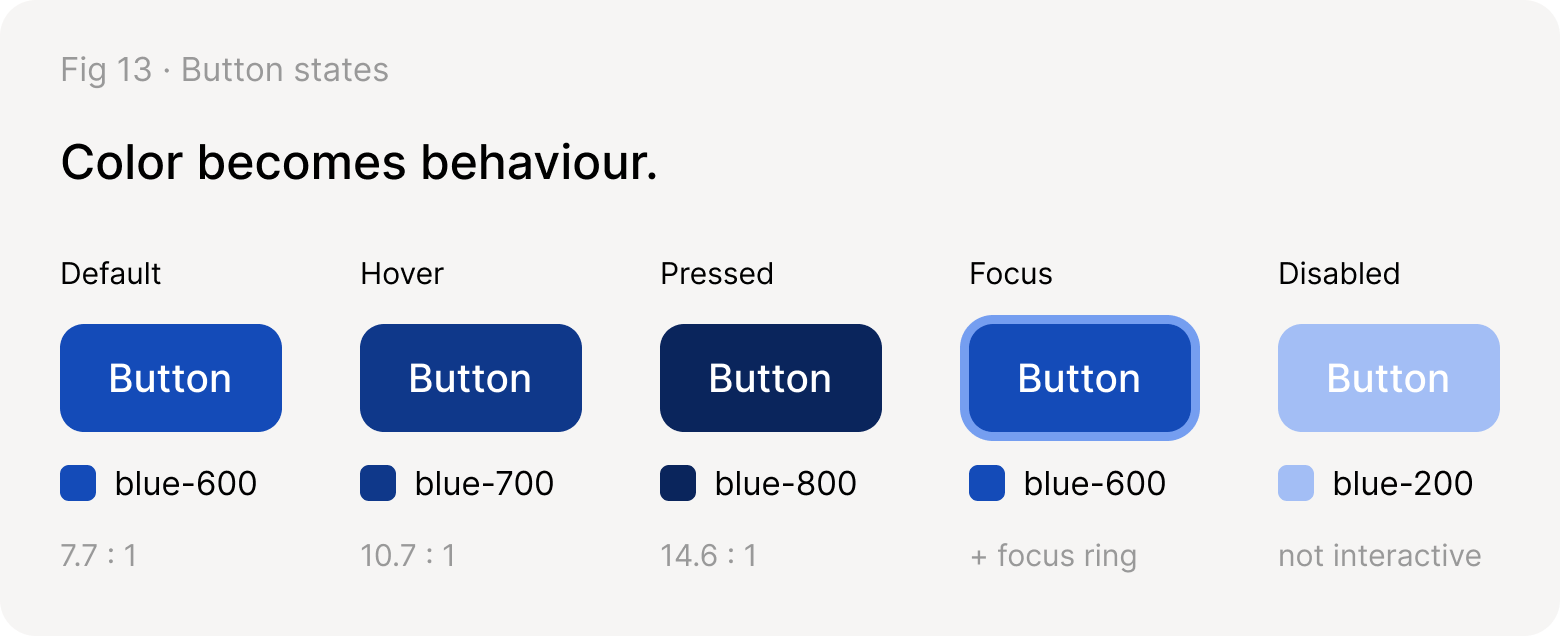
Button states: default blue-600 (7.7:1), hover blue-700 (10.7:1), pressed blue-800 (14.6:1), focus blue-600 with a ring, disabled blue-200
Contrast is white text on each fill. Disabled controls are exempt from WCAG contrast, so they can be quieter.

Color system maturity

Most teams move through four stages. Each one keeps what came before and adds a rule.
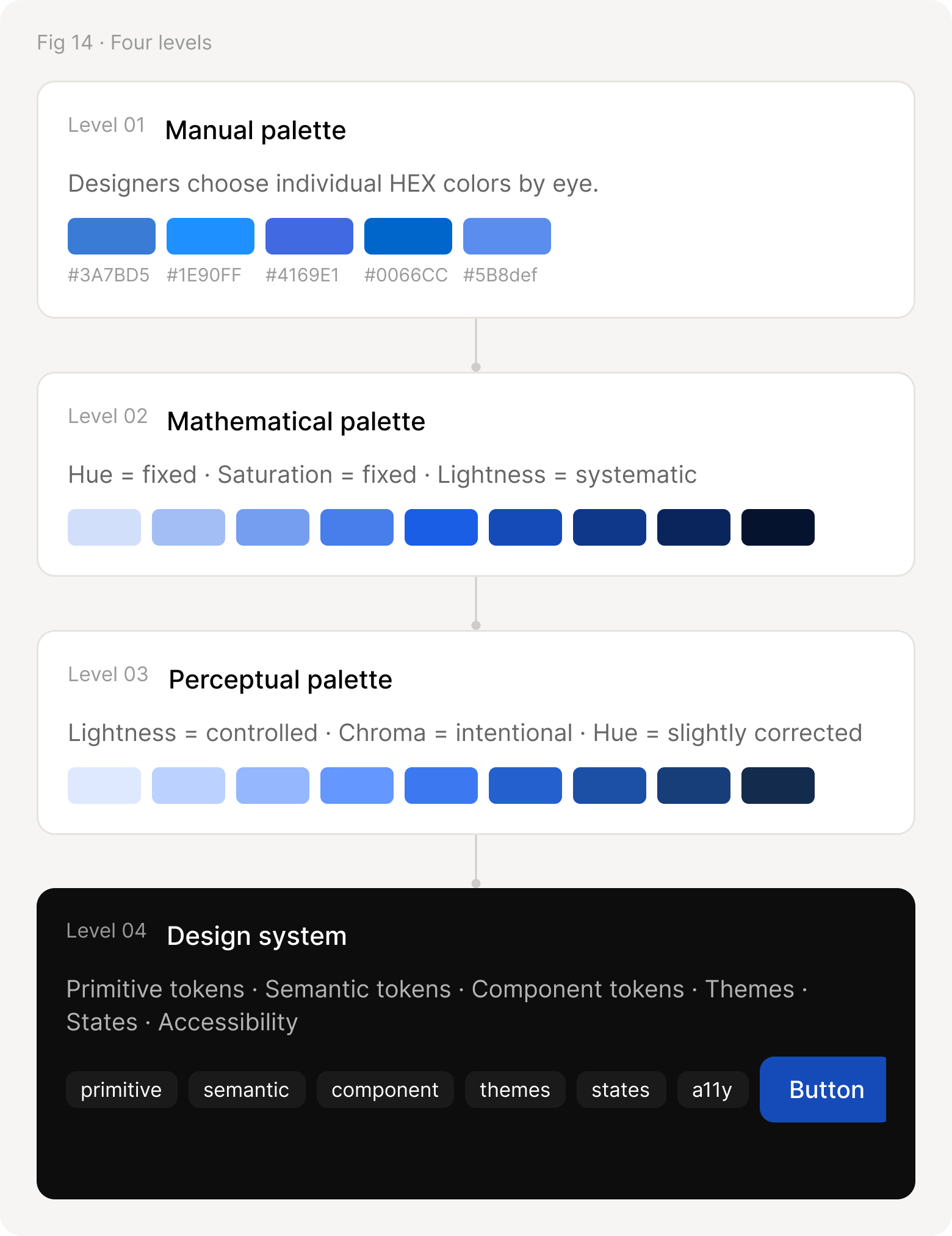
Four levels: a manual palette picked by eye, a mathematical palette, a perceptual palette, and a design system with tokens, themes, states and accessibility
From choosing colors to designing relationships.

Summary

Everything above, in one picture: four groups of decisions that meet in the component, and through it, the product.
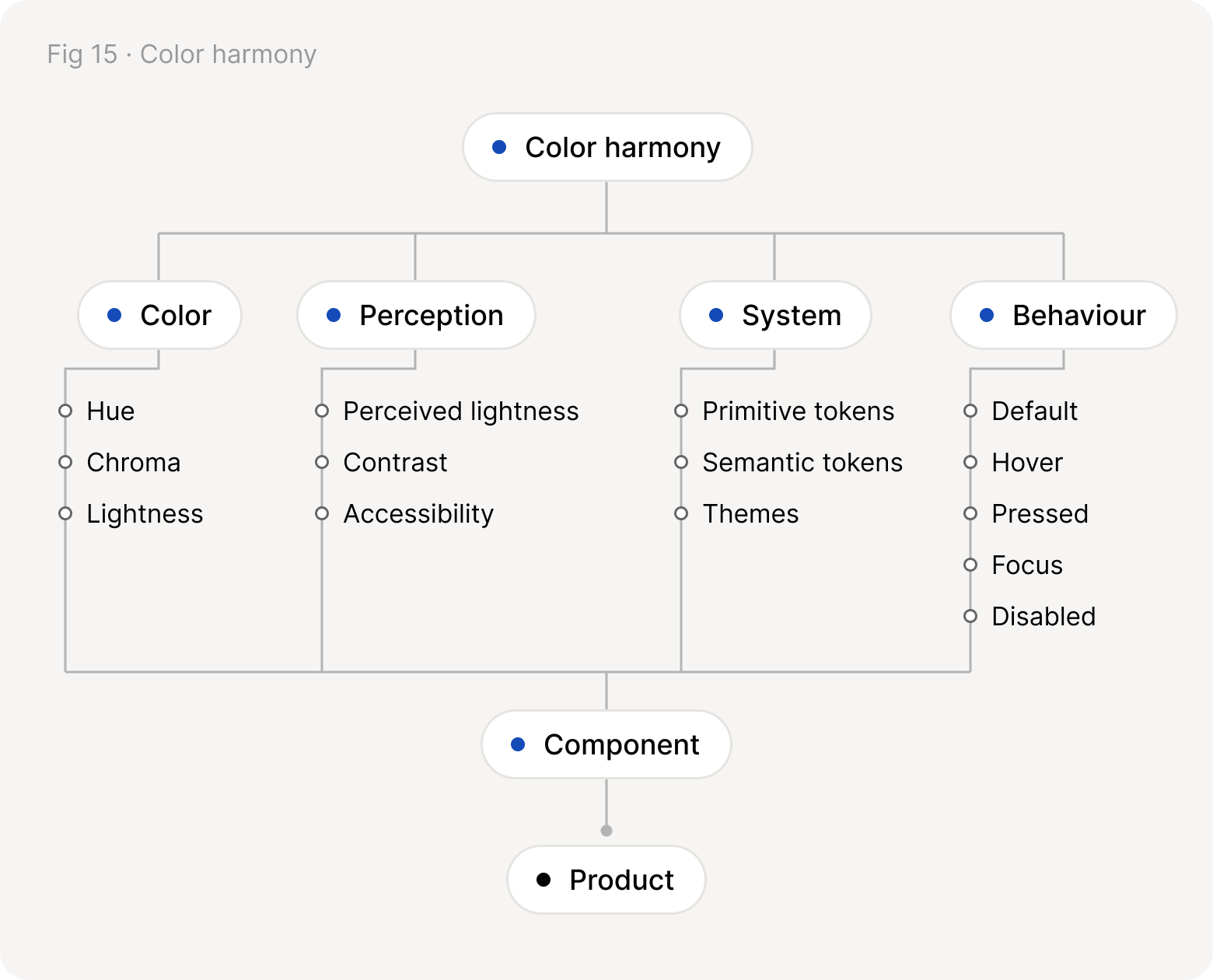
Color harmony branches into color, perception, system and behaviour, which all meet in the component and then the product
Color, perception, system and behaviour all end in the component.

Final thought

“A harmonious color system isn’t one where every color follows identical numbers. It’s one where every color follows a predictable visual relationship.”

Color should not only look consistent.

It should behave consistently.

Back to Notes
Footnotes

1. Perceived lightness is OKLab L computed from sRGB. Contrast ratios follow WCAG 2.2. HSL scale: hue 220°, saturation 80%.